Display Creator · Service
MoTeC Display Creator, done properly
I design and build MoTeC display projects in Display Creator, and help people finish, fix or extend the ones they already have. Any C-series or D-series display that uses Display Creator.
£30 an hour; a typical display costs £500 to £1,000. Send your project files with your enquiry and I'll tell you what your car can run.
The service
Display Creator design, fixes and help
Hand me the whole job, or just the part that's stuck.
- Design and build
A new display from your brief. You see rendered page concepts first, then I build the Display Creator project and check it page by page in the simulator.
- Fix or finish
Your existing project sorted out: Quick Check errors, wrong or missing channels, alarms that misbehave, pages that never got finished.
- Add a feature
A GPS track map with your car on it, next-corner calls, pop-up menus, a welcome video or a second display, added to the project you already have.
- Channels and setup
Channels from your ECU, PDM, keypad, rotary or TPMS brought onto the display from your DBC and Dash Manager configuration.
Features
Display Creator features I can add
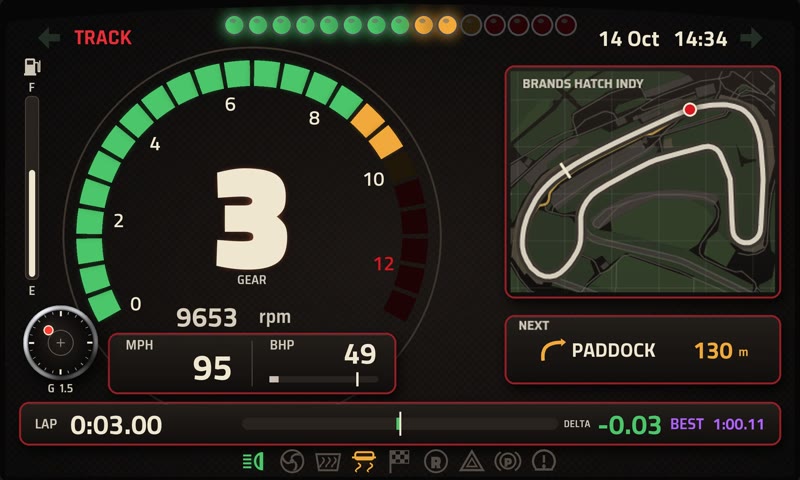
Needs GPS
Needs GPS
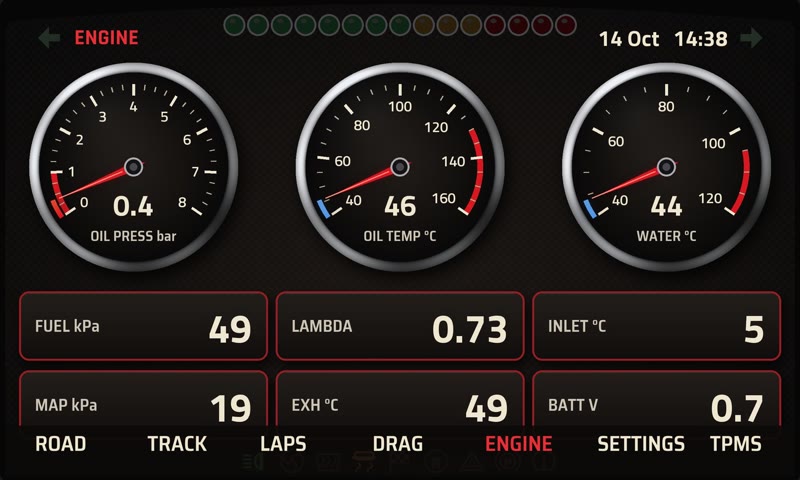
Needs keypad or rotary
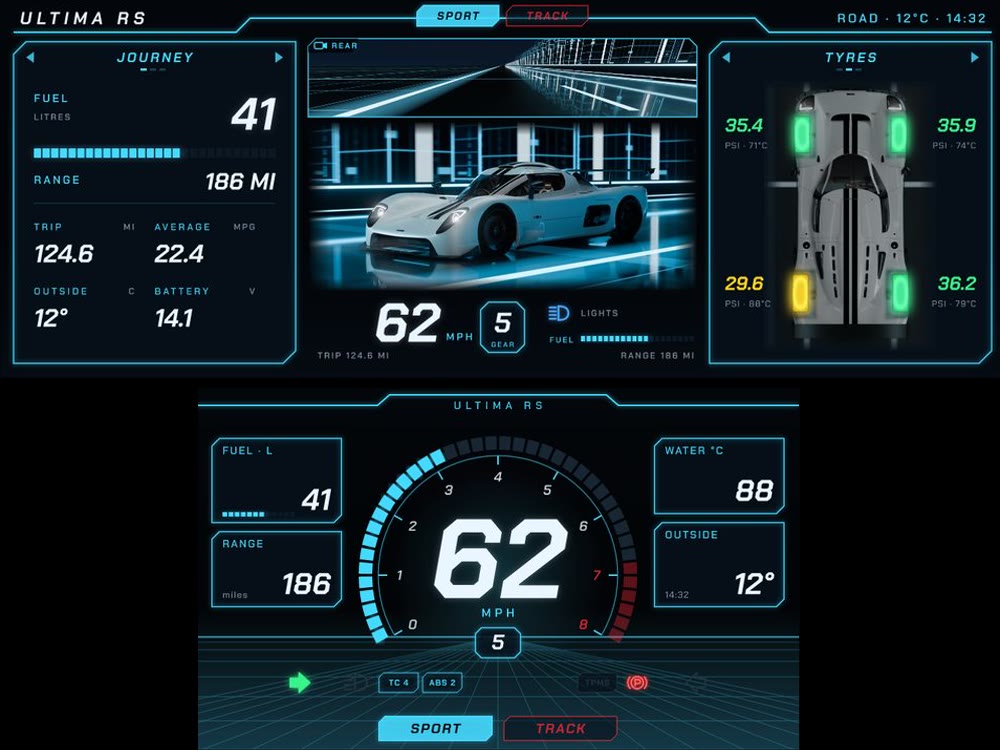
Display with video support
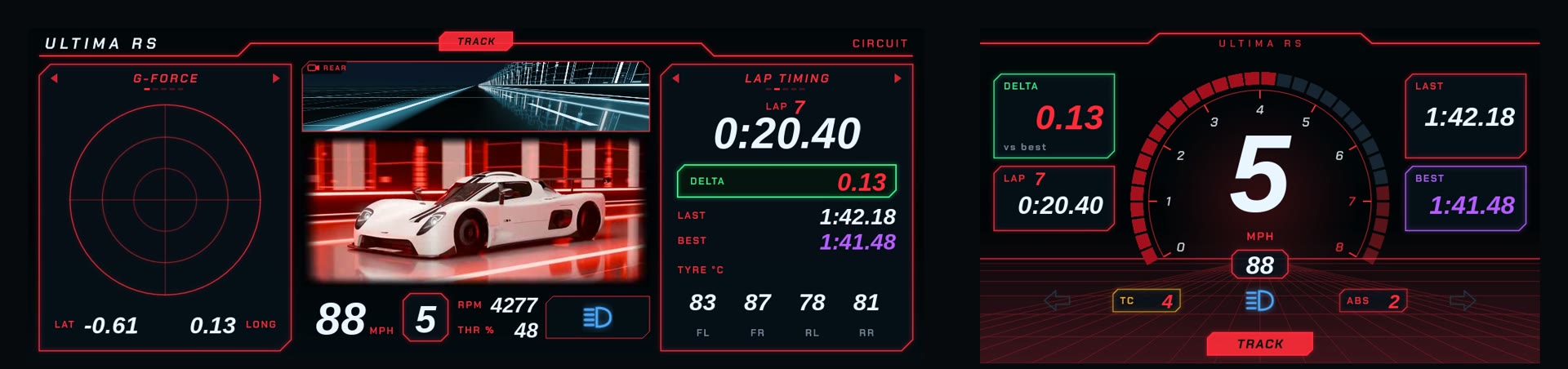
Two or more displays
And many more.
Before you get in touch
Check your car
I build the display project; the hardware and MoTeC software stay yours. Light up what your car has and the readout shows what it can run.
For every portfolio display, see what it needs: the add-ons and sensors behind each feature.
Your car has
Feature readout
- Configurable pages, warnings and shift lights
- Track map with car position
- Next-corner calls
- GPS lap timing and drag timers
- Pop-up menus and page select
- 3D renders and welcome video
- Multi-display cockpit
Video playback depends on the display model; I'll confirm it when I quote.
How it works
How a Display Creator project runs
- Brief
Your car, displays and channels, and how you use it.
- Concepts
Rendered pages to agree before any build work.
- Build
The Display Creator project, checked in the simulator.
- Install
You send it to the dash, with help if you want it.
- Revise
Changes after the first drive are part of the job.
What I need from you
- Your display model
- Your current Display Creator project, if you have one
- Your DBC or Dash Manager configuration
- A photo of where the dash sits, and how you use the car
What you get back
- The Display Creator project, Quick Check clean and ready to send to the dash
- A short note on each page: what's on it and which channels drive it
- Changes after your first drive or track day
Builds
Portfolio examples
Every build has a full demo and the design decisions written out in the portfolio.
Pricing
£30 an hour
A typical display costs £500 to £1,000, which is roughly 17 to 33 hours of work. Where yours lands depends on what the display needs to do.
- The estimate
Send me your brief and project files. Once I've looked at them, I'll give you a price range for the job, and we agree it before any build work starts. The final bill is the time the work actually takes, at £30 an hour.
- Revisions
Changes to the concepts before the build, and fixes and tweaks after your first drive or track day, are part of the job and allowed for in the estimate. New pages or features you decide to add later are estimated separately, in the same way.
- What moves the price
How many pages and pop-ups the display has, GPS track maps and next-corner calls, a second display that works with the first, a 3D render and welcome video of your car, and how much channel setup your DBC or Dash Manager configuration needs. The portfolio shows the kind of work involved.
- Smaller jobs
Fixing Quick Check errors, finishing a project or adding one feature to your own display are charged the same way, on the time they take.
Questions
MoTeC Display Creator FAQs
Which displays do you work with?
Any MoTeC display that's set up in Display Creator, including the C-series and D-series. My builds so far are on the C125, C127 and C1212.
Do I need a GPS sensor?
Only for track maps, the car's position, next-corner calls and GPS-based timing. Everything else works without one.
Do I need my own copy of Display Creator?
Yes. You need it on a Windows PC to open the project, run Quick Check and send it to the dash. Some features also need a licence option on the display.
Which tracks are available?
There's a library of 844 ready-made layouts at 522 circuits in 76 countries. It covers the main UK circuits and their variants, from Silverstone, Brands Hatch and Donington to Anglesey, Knockhill and Snetterton, and circuits across Europe, the Americas, Asia, Oceania and Africa, from Spa and the Nürburgring to Suzuka, Laguna Seca and Interlagos. You can search them all in the track map library.
Can you do tracks outside the UK?
Yes. Most of the library is outside the UK, across 76 countries. If your circuit isn't there yet, tell me the venue and layout and I'll map it.
What about private or test tracks?
They can have a map too. Send a logged GPS lap from the venue with your enquiry and I'll confirm what's possible.
How can the track map look?
There are ten backdrop styles, including satellite, night, blueprint, neon and rally, drawn from OpenStreetMap surroundings. Maps come in three sizes with your choice of track colour. The car's position sits on the map, and the next corner is called by name and direction on every layout, with a live distance countdown on the 22 layouts that have a start/finish line.
Can I switch between layouts at the same circuit?
Yes. GPS finds the venue and shows its main layout first. Press the back button on the TRACK page to step through that venue's layouts, such as Brands Hatch Grand Prix and Indy; the map, title and corner calls follow. Each venue remembers the layout you last chose there.
Can you add a G-force meter?
Yes, designed to suit the car: a full friction circle with peak hold, or a compact G pod alongside the gauges. It needs accelerometer channels from your display, logger or ECU.
Can you work on a project someone else started?
Yes. Send the project and your DBC or Dash Manager configuration, and tell me what's wrong or what you want added.
How much does it cost?
£30 an hour. A typical display costs £500 to £1,000, depending on what it needs to do. I give you a price range once I've seen your brief, and the final bill is the time the work actually takes. Pricing explains how estimates and revisions work.
Guides
MoTeC Display Creator guides
If you're working on a project yourself, these cover the questions I'm asked most.
- MoTeC Display Creator enable: check your C125, C127 or C1212
Check whether your MoTeC display has the Display Creator enable, find the right upgrade and prepare the Dash Manager and DBC files for a custom dash.
- MoTeC GPS track maps in Display Creator
What you need for a live GPS track map on a MoTeC dash, how the car marker follows the circuit, and how venue selection and lap timing fit together.
- MoTeC C125 vs C127 vs C1212 for a custom dash
Compare MoTeC C125, C127 and C1212 screen sizes, resolutions and Display Creator layouts, with real project settings and Kerbworks design examples.
- Display Creator Quick Check: errors, warnings and fixes
Run MoTeC Display Creator Quick Check, understand missing-channel and no-signal warnings, check fonts and DBC files, then test the project in the simulator.
- MoTeC Dash Manager vs Display Creator: which does what
What MoTeC Dash Manager and Display Creator each do, which software goes with the C125, C127, C1212 and other displays, and the order to set them up in.
- MoTeC shift lights and alarms with Display Creator
Set up MoTeC C127 and C125 shift lights, LED patterns and alarms in Dash Manager, show them on a Display Creator page, and test both before a session.
- Display Creator DBC files: ECU channels on a MoTeC dash
How Link, Haltech and M1 channels reach MoTeC Display Creator through Dash Manager and a DBC, with scaling, units and fixes for no-signal channels.
- MoTeC display pages and pop-ups with a CAN keypad
How CAN keypad buttons reach a MoTeC colour display, how Dash Manager and Display Creator choose the page, and how to build timed pop-ups and menus.
Get a quote
Tell me about the car and attach your Display Creator project, DBC or photos.