Portfolio · Rover Mini · MoTeC C127 · M800 ECU · Honda B18 turbo
Rover Mini MoTeC C127 dash
Kiiro: yellow on black. The brief: a front-wheel-drive restomod, "very OEM ++", with a turbocharged Honda B18. Kiiro is Japanese for yellow, so the theme is yellow on black with small Japanese labels beside the English ones.
Four pages, ROAD, TRACK, ENGINE and INFO, stepped with the car's Next and Mode buttons. Jump to a page with the keys.
- A rev blade that follows the glass
A curved blade runs along the C127's curved top edge, 0–9,000 rpm in 250 rpm steps: yellow, solid orange from 6,750, and the whole blade and the gear turn red at the 7,800 rpm shift point.
- Gear on the gear knob
The gear shows on the car's own yellow pool 8-ball gear knob: R, N and 1 to 5.
- The car lights up on screen
A render of the car from its Blender model sits in the middle of ROAD. Dipped and high beam, front fogs, indicators and hazards light the car's own lamps on the dash.
- Boost maps you can see
Six boost maps from 200 to 350 bhp. The selected map always shows on a yellow MAP plate, and changing it brings up a three-second pop-up.
- Track mode by GPS
At a circuit the map, car position, lap time, delta to best, last, best and predicted laps come up. The G dot shows the force the driver feels: outside of the corner, forward under braking.
- A welcome film with the dash in it
The key-on film goes once round the parked car, moves into the driver's seat and shows the C127 itself waking up behind the steering wheel as the engine starts. Then it looks down at the yellow pool-ball gear knob, and the ROAD page bursts out of it, the ball landing on the page's own gear ball. Rendered from the car's own Blender model.
- Sensors and add-ons
See what extra sensors or add-ons are required to run this display.
What this display needs
Built natively in Display Creator and Quick Check clean, with no errors or warnings.
Gallery
Pages up close
Select any image to see it full size.
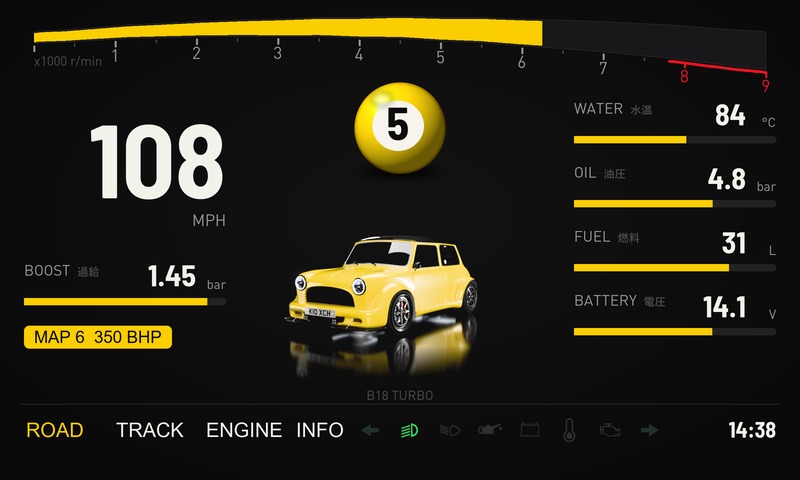
ROAD · Rover Mini 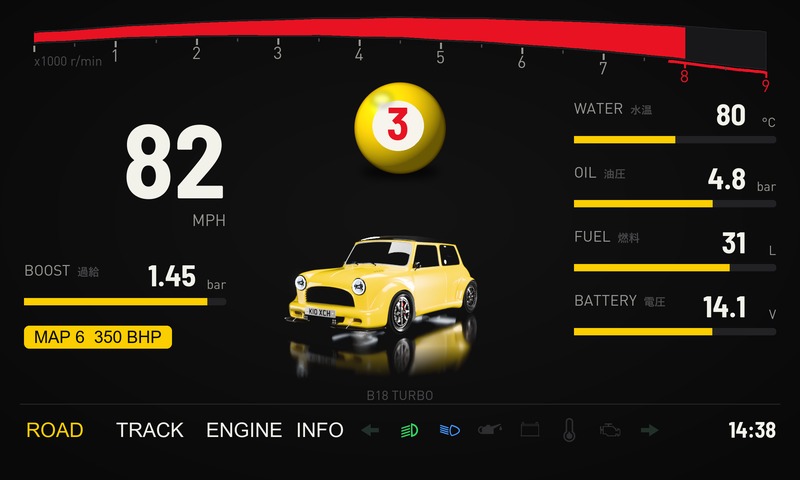
Shift point · Rover Mini 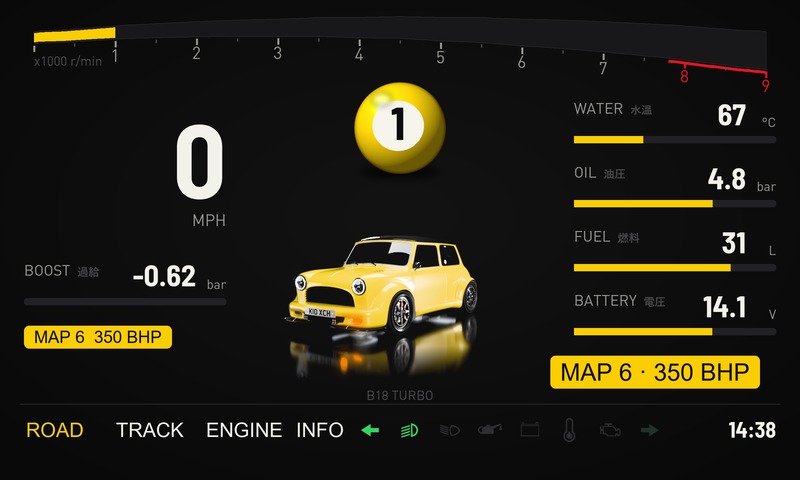
Boost pop-up · Rover Mini 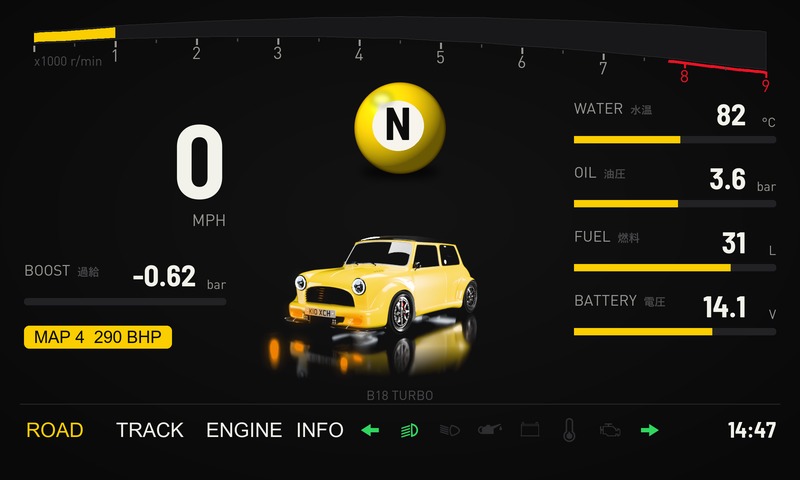
Lamps · Rover Mini 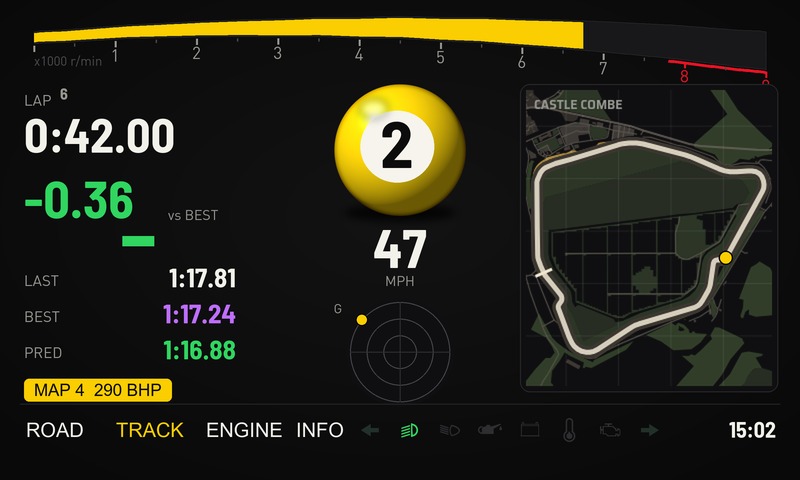
TRACK · Rover Mini 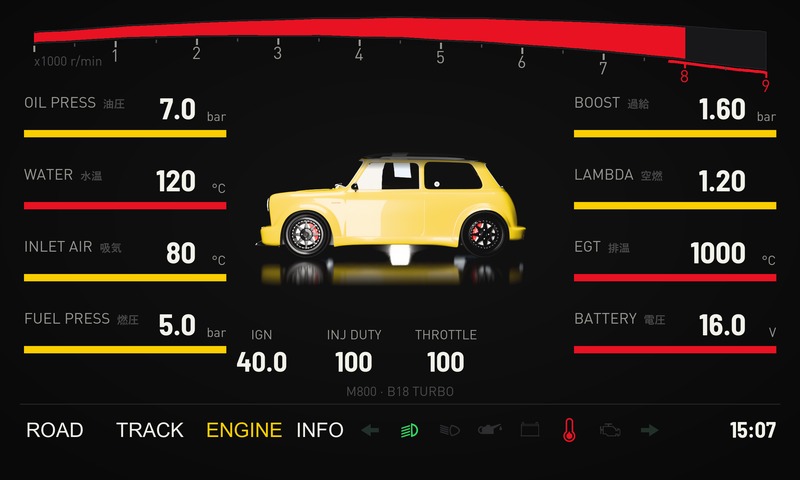
ENGINE · Rover Mini 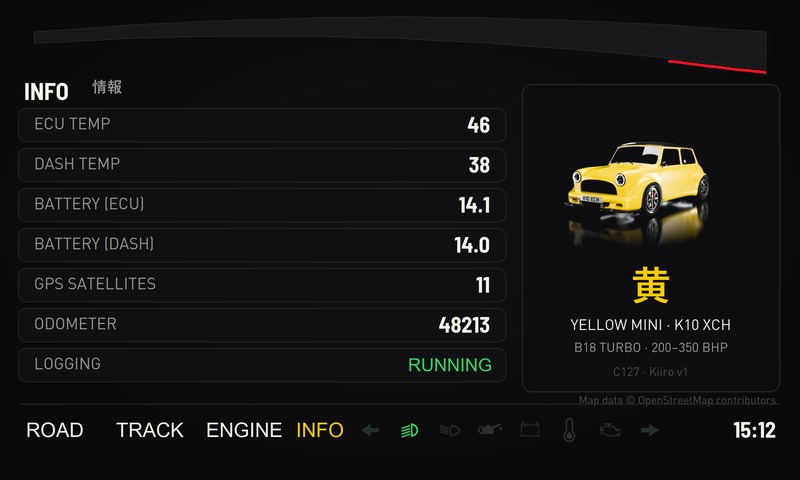
INFO · Rover Mini 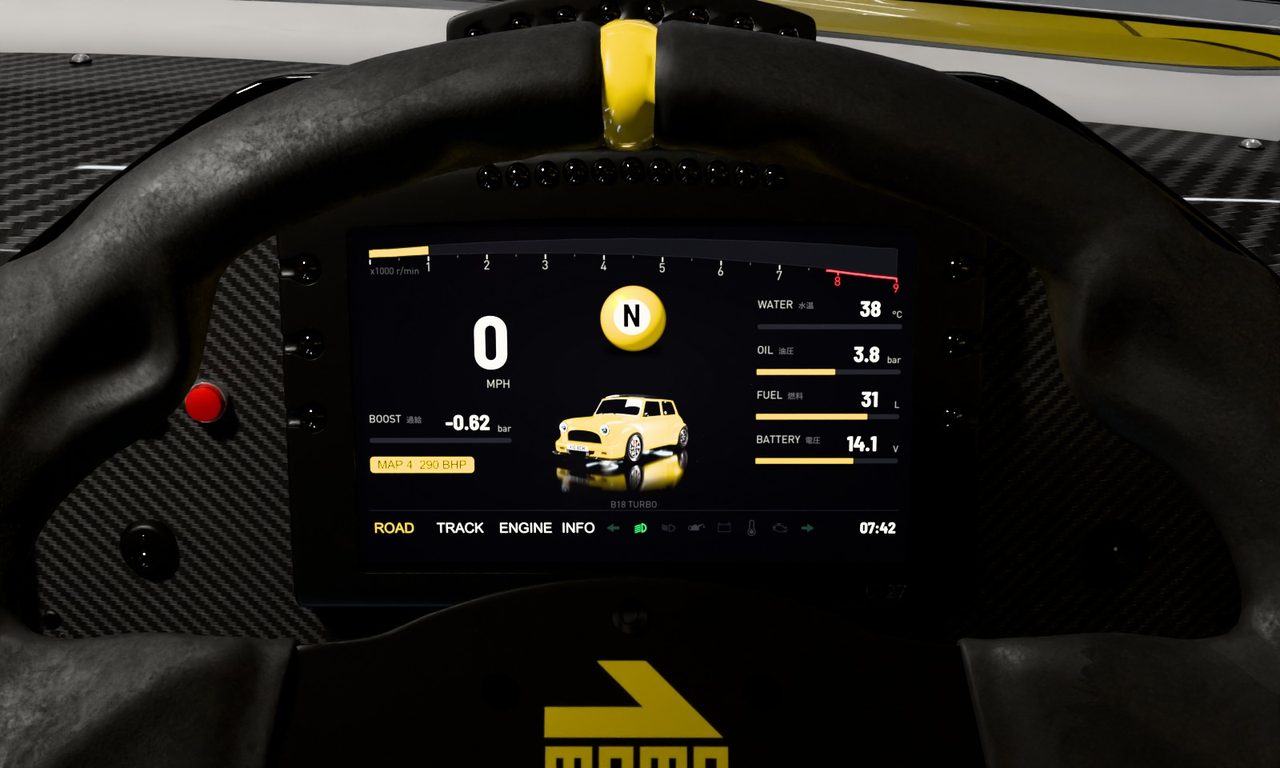
Welcome film · Rover Mini 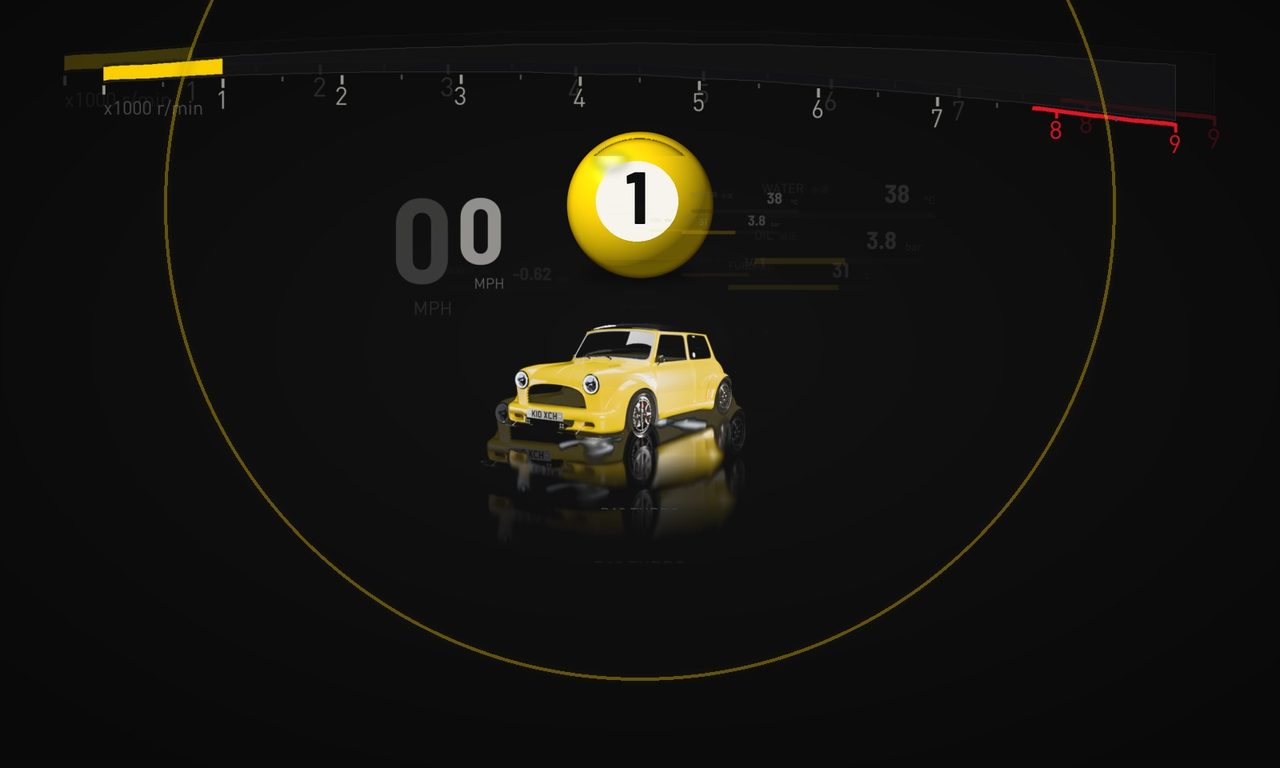
Welcome film · knob burst 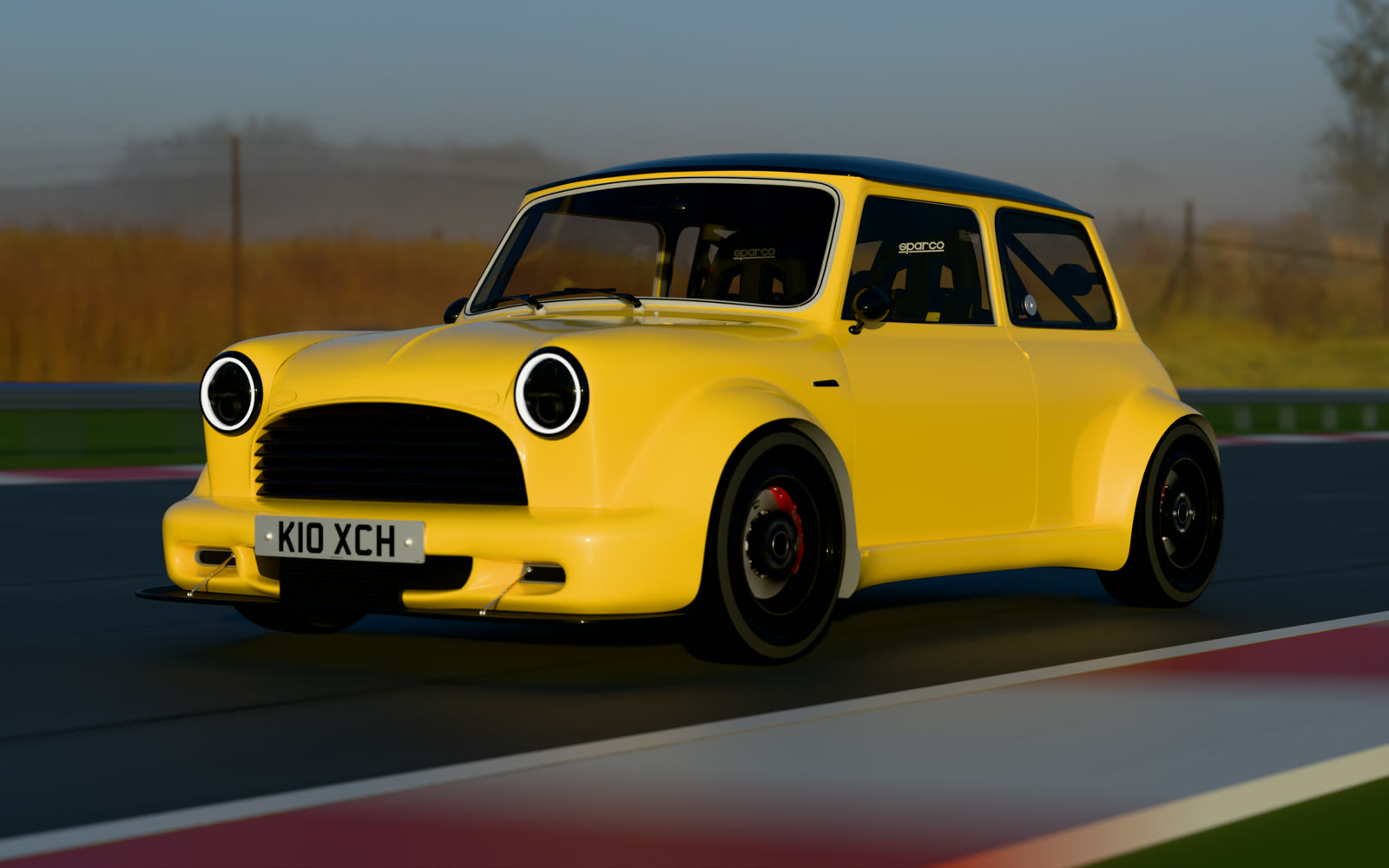
3D render · Rover Mini
More projects
Other builds
Related guides: How to add a GPS track map · Quick Check errors explained.
Want one for your car?
Tell me what you've got and attach your Display Creator project if you have one.