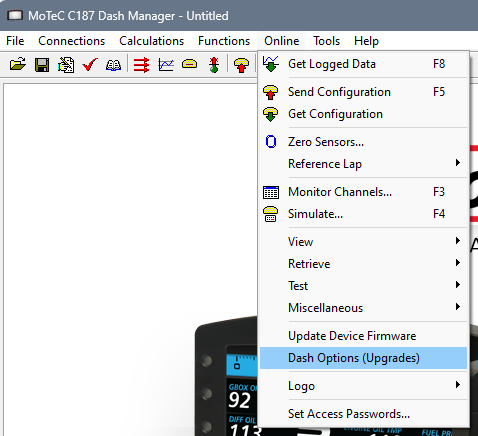
Connect the display to your PC and open the Dash Manager for that model: C127 Dash Manager for a C127, for example. Then:
- Open Online → Dash Options (Upgrades).
- Look for Display Creator in the list of enabled functions.
- If it is listed, you already have the enable. If it is missing, speak to an authorised MoTeC dealer about the upgrade.
These are the checks in MoTeC’s colour-display troubleshooting guide.