Portfolio · Nissan GT-R · MoTeC C1212 · OEM-style example design
Nissan GT-R 2016 OEM-style MoTeC C1212 dash
The car's own cluster, on a MoTeC. The standard instruments of a 2016 Nissan GT-R (R35), recreated on a MoTeC C1212: the dials, the gear window, the blue information display and the warning lamps where a GT-R owner expects them, laid out and behaving as the car's.
Why keep the standard look? A MoTeC display doesn't have to look like a race dash. An owner who fits one can keep the cluster they know and still gain what the MoTeC brings: every channel logged, extra pages and warnings drawn in the same look, and a display that can be changed later. This is a Kerbworks example design, not a customer's car.
The demo runs through start-up as the owner's manual describes it, a drive, the information display's pages, the MoTeC pages, manual shifting and two warnings, then the optional needle sweep. Jump to a part with the keys.
- The cluster, where you expect it
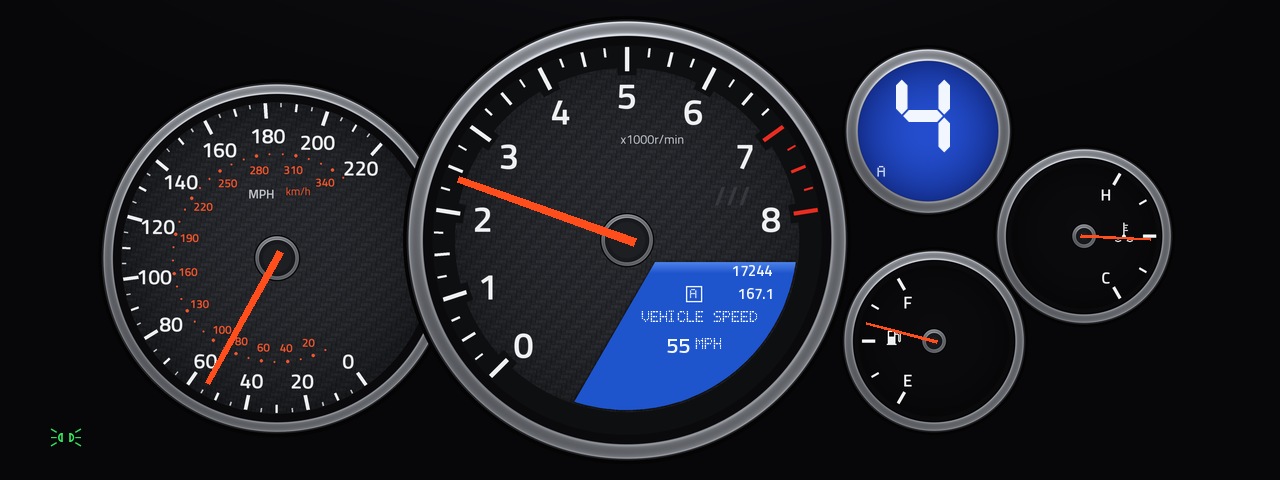
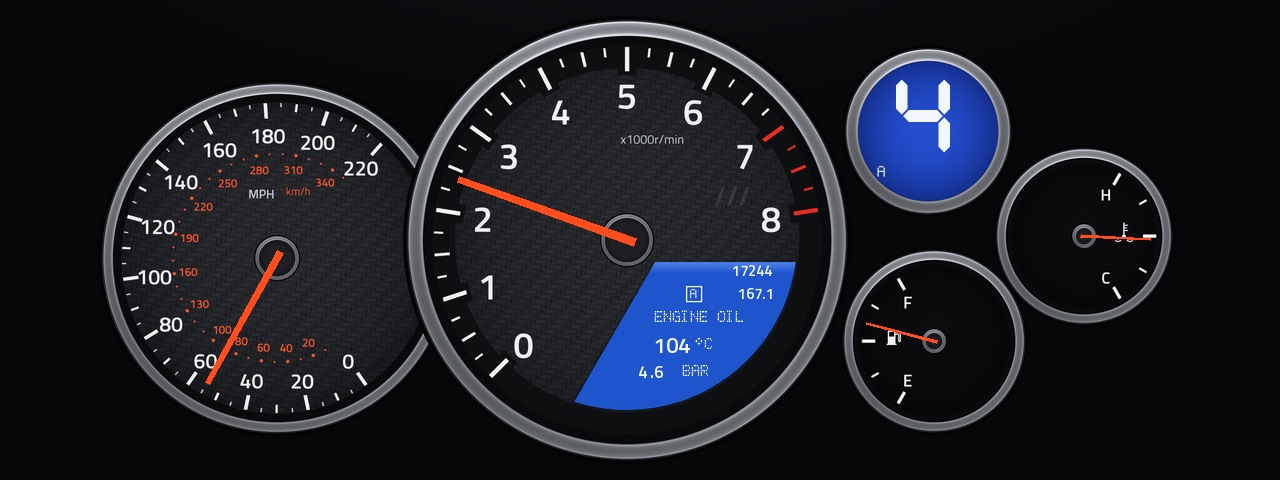
Speedometer on the left, the large tachometer in the middle with the information display in its lower right, the gear window, the fuel and coolant gauges, and the warning lamps in their places and colours. The car followed is a UK 2016 GT-R.
- Dials that match
The tachometer reads 0–8 ×1,000 rpm, with the red zone from 7,000, the castellated tick band and "x1000r/min". The UK speedometer reads mph to 220 with the inner red km/h scale. Carbon-weave faces and satin-chrome rings, as on 2014–2016 cars, and the blue gear window with A or M.
- The information display
Blue, with its words in a dot-matrix face and its figures in a plain one, as on the car's own display. The odometer and trip A or B are always shown, and ENTER steps through the car's pages in the car's order: the consumption bar, vehicle speed, averages ("----" until they're valid), time, range and outside temperature, with ICY below 3 °C.
- Start-up from the owner's manual
At ignition on, the lamps do their bulb check, each for its own time, and the display shows OIL LEVEL OK, then the brake-and-start reminder. Once the engine starts, the lamps go out and a system check shows for a few seconds.
- Upshift lamps in M
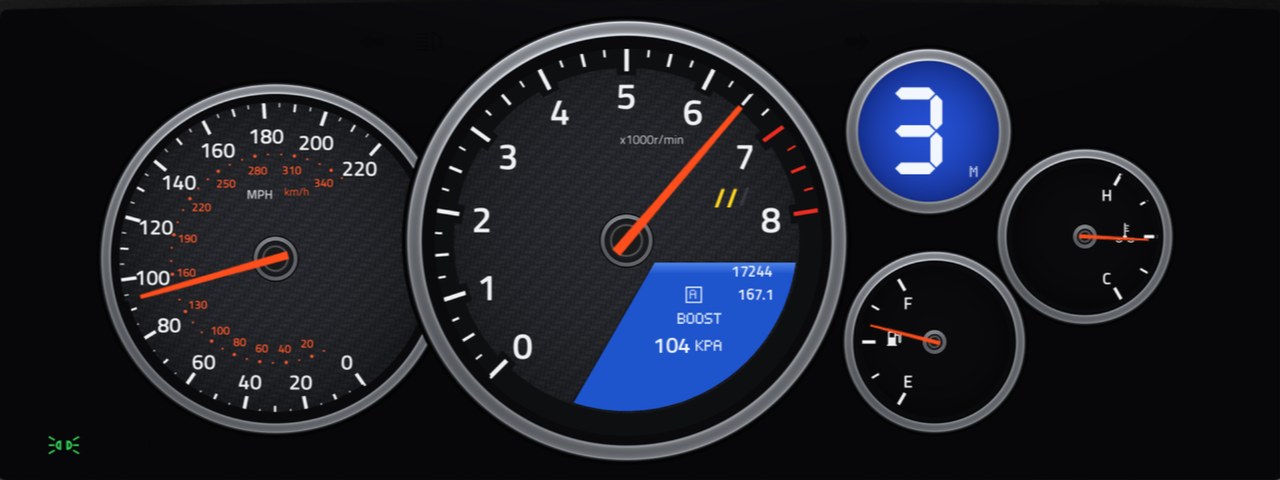
In M, the slanted window between the 7 and the 8 warns of each upshift. Set to AUTO, it lights yellow 700 rpm before the red zone and red just before it. Set to MANUAL, it blinks green from 500 rpm below a chosen shift point and stays lit at it.
- Every warning lamp
Every warning and indicator lamp of the 2016 list, in its colour, with warning messages on the information display and the master warning lamp. The turn-signal and fog-lamp symbols and positions for UK cars couldn't be confirmed, so generic symbols sit in sensible places.
- What the MoTeC adds
Three extra information-display pages after the car's own, in the same look: ENGINE OIL (temperature and pressure), TRANSMISSION (oil temperature) and BOOST. Extra warnings for engine oil hot, transmission oil hot and low oil pressure at speed. And the C1212 logs every channel.
- Where it can't be exact
The needles are Display Creator's own pointer, a straight, slightly tapered bar in the GT-R's red-orange from the dial centre, not the car's tapered two-tone needles under a dark cap. Lit needles and chrome are drawn on a flat screen, with no depth or glow. The upshift window lights one, two or three of its bars together in the stage's colour, rather than three lamps each in its own colour.
- Left to the C1212
There's no warning chime, as the C1212 has no speaker, and brightness is set in the C1212's configuration. The factory SETTING menus aren't recreated: the shift point and units are set in the C1212's configuration too.
- The needle sweep is an option
No source confirms that the 2016 needles sweep at start-up, so the replica starts as the owner's manual describes, with the needles at rest. A sweep to full scale and back is built in as an option, off by default.
- Artwork drawn new
Dial faces, ticks, numerals, the carbon weave, every lamp icon, the information display's 5 × 7 dot font and the gear characters were all drawn for this project. Dial numerals and the information display's figures use Titillium Web (SIL Open Font Licence). There's no Nissan or GT-R logo or badge on screen.
- Built natively, checked in 6.5
Built with the Display Creator MCP: four native needles, readouts and text slots (figures in Titillium Web SemiBold, words in the project's dot-matrix face), sixteen glyph lamps plus lamp panels and image lamps, front panels for the information display's pages and messages, and 37 maths channels and timers for the page values, h:mm, the bulb check, blink and the sweep. Quick Check in Display Creator 6.5 is clean.
- Where the data comes from
70 channels from one example display DBC: 67 for the display and three for the C1212's menu controls. The C1212's configuration passes the car's CAN, its own calculations (odometer, trips, averages, range and the page count) and two sensor inputs (fuel level and outside temperature) to the screen. The DBC's message layout is Kerbworks' own, not Nissan's.
- Why a C1212
Its wide 1,280 × 480 screen has the shape of the GT-R's binnacle, so the whole cluster fits with its proportions unchanged. The TRIP A/B, ENTER and NEXT buttons stay physical, as on the car, and become inputs to the C1212.
- Sensors and add-ons
See what extra sensors or add-ons are required to run this display.
What this display needs
An example design for owners, not a customer's car. It's built with the Display Creator MCP and checked in Display Creator 6.5's simulator, with Quick Check showing no errors or warnings, but it hasn't been loaded onto a C1212, fitted to a GT-R or run on CAN data from a car. It follows the standard cluster closely but not in every detail; the differences are listed above.
Nissan and GT-R are trademarks of Nissan. Kerbworks has no affiliation with Nissan, and this display is not made, approved or endorsed by Nissan. The design recreates the look of the standard instruments for owners; all of its artwork, icons and fonts were drawn new.
Proof
Checked in Display Creator
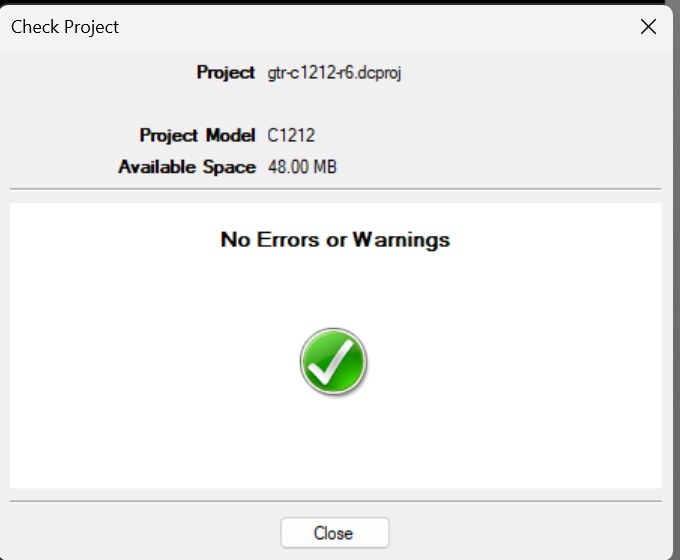
These two are screenshots from Display Creator 6.5 itself, not renders.
With the example DBC imported natively into the C1212 base and the project built on its channels, Quick Check reports no errors or warnings for the C1212. In the simulator, with values typed in by hand, every state on the checklist was checked: the bulb check with each lamp going out at its own time, OIL LEVEL OK and the brake-and-start reminder, the system check after starting, driving on the VEHICLE SPEED page, the upshift bars in M going from yellow to red, the averages, time and consumption-bar pages, the low tyre pressure warning and the needle-sweep option.
The checks led to three changes before the final build: the information display's figures moved to a plain face, the decimal and h:mm digits are now worked out with comparison sums because the simulator rounds in single precision, and the renders now draw Display Creator's needle as the simulator shows it.
Gallery
Pages up close
Select any image to see it full size.
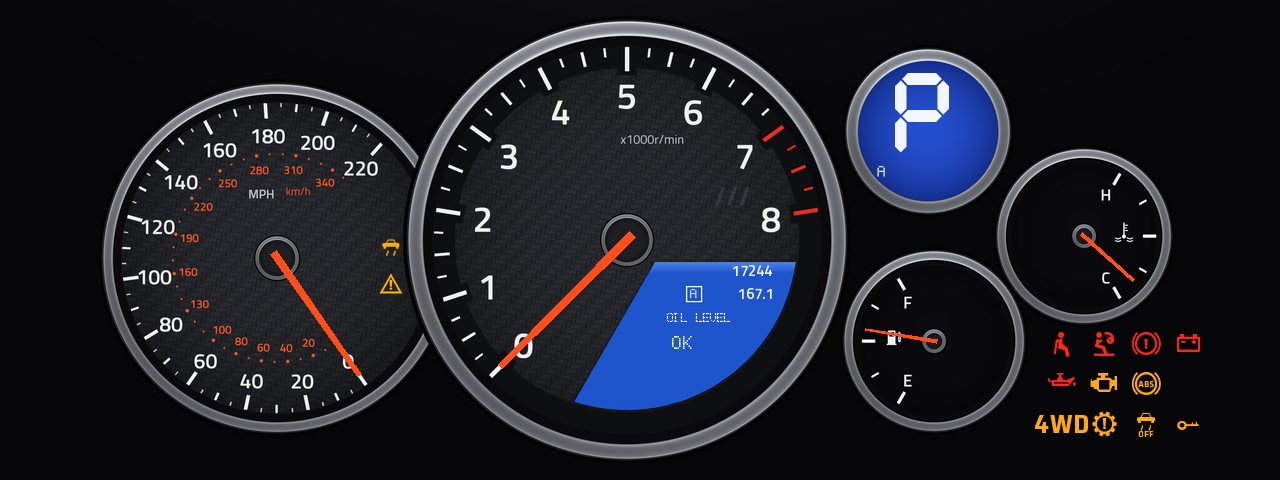
Bulb check · Nissan GT-R 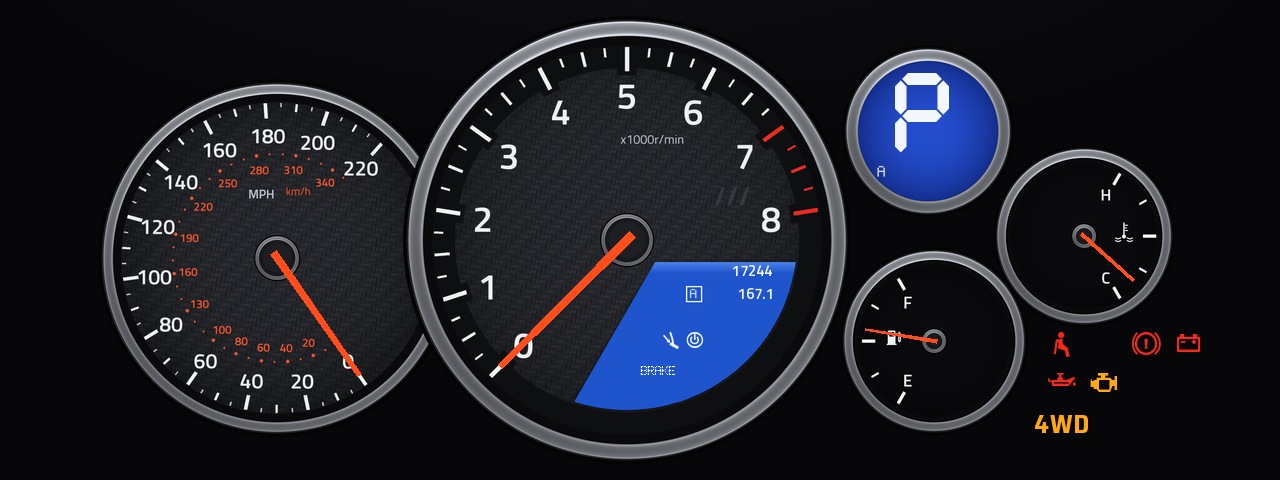
Brake reminder · Nissan GT-R Driving · Nissan GT-R 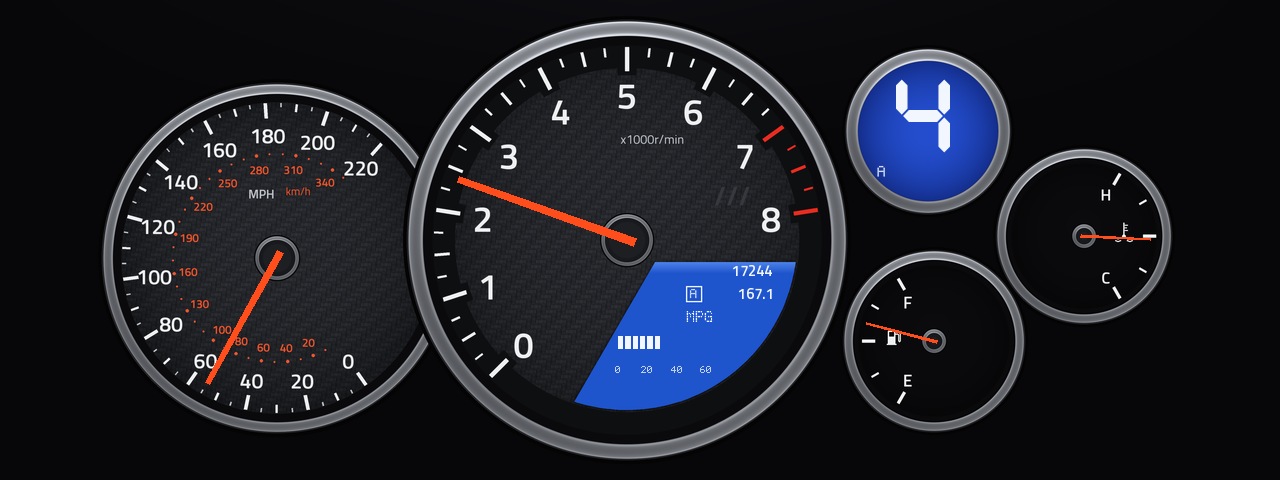
MPG bar · Nissan GT-R 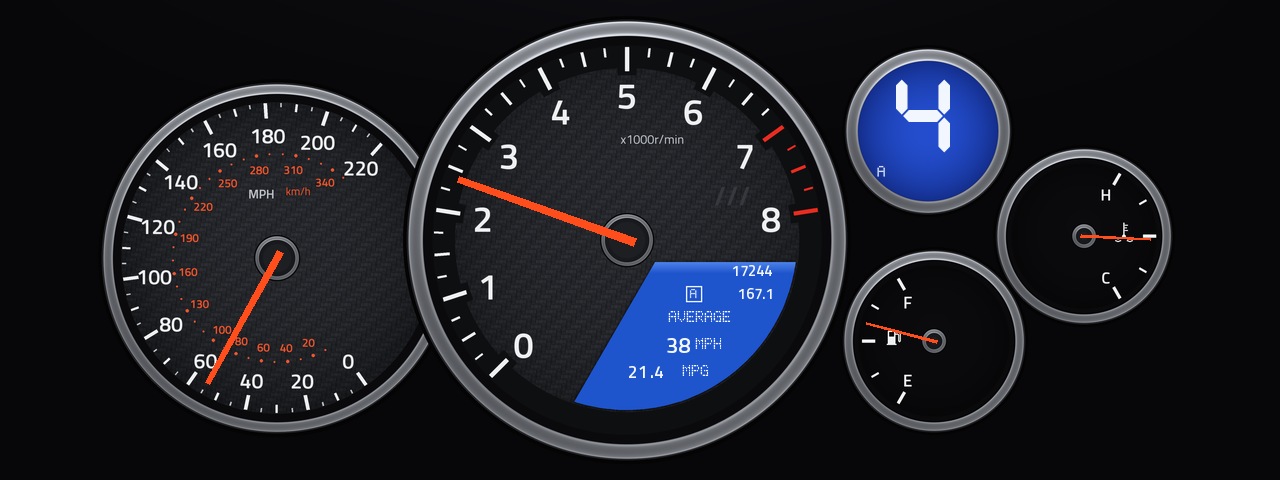
Averages · Nissan GT-R 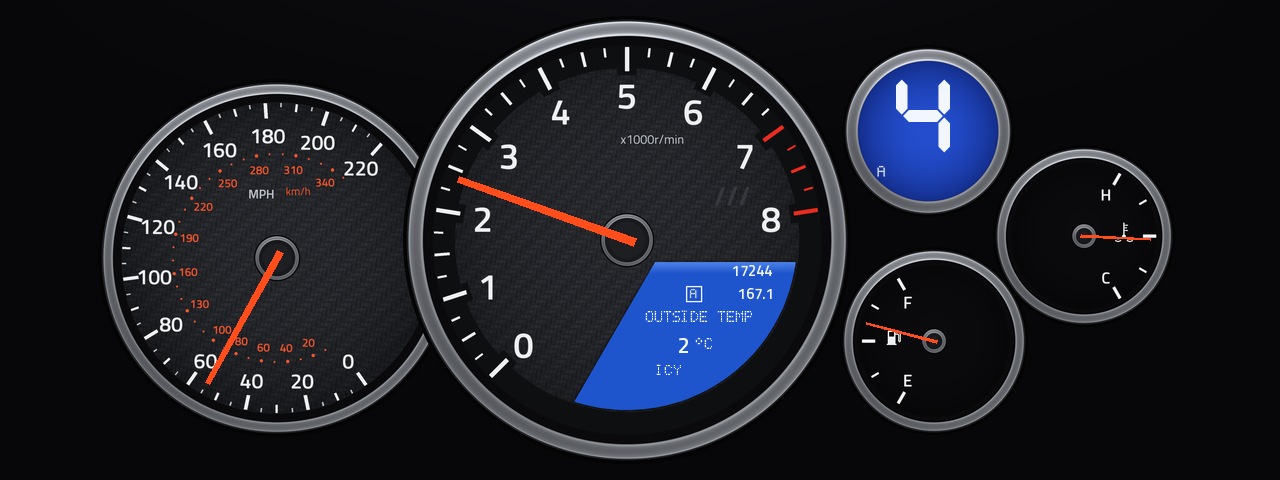
Outside temp · Nissan GT-R Engine oil · Nissan GT-R 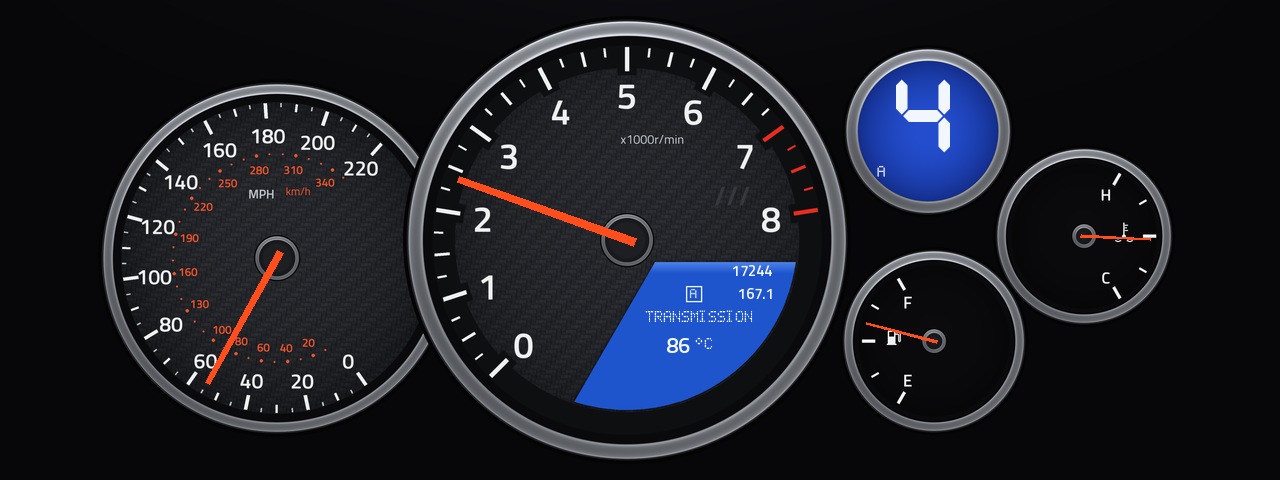
Transmission · Nissan GT-R 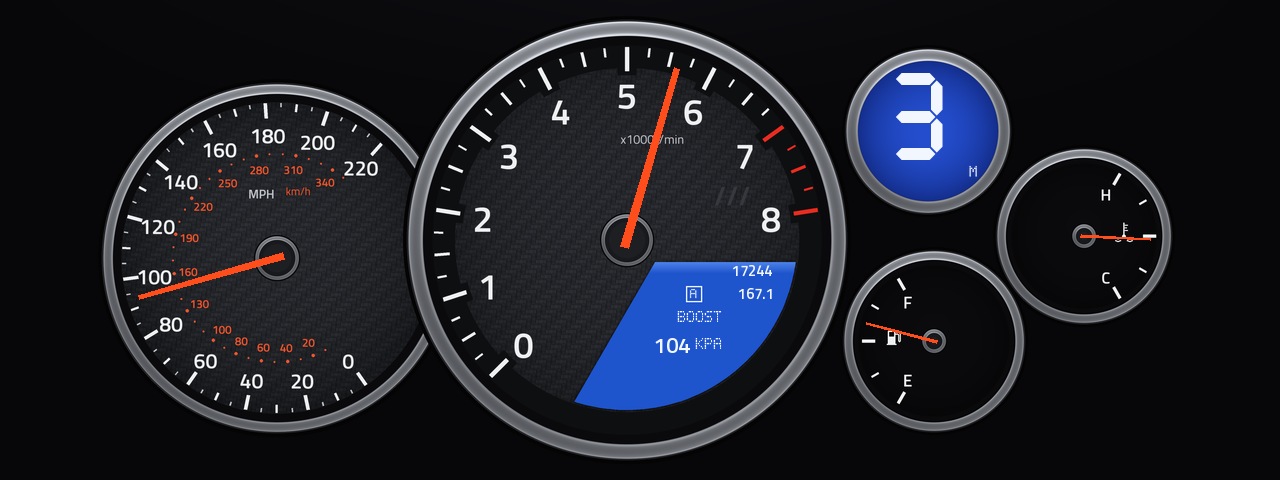
Boost · Nissan GT-R 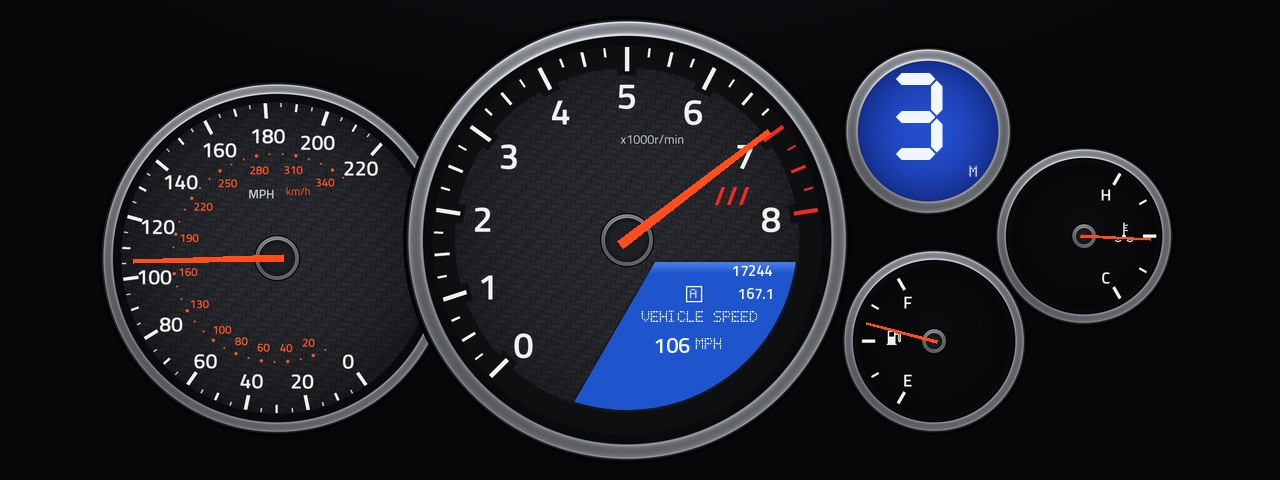
M mode · Nissan GT-R 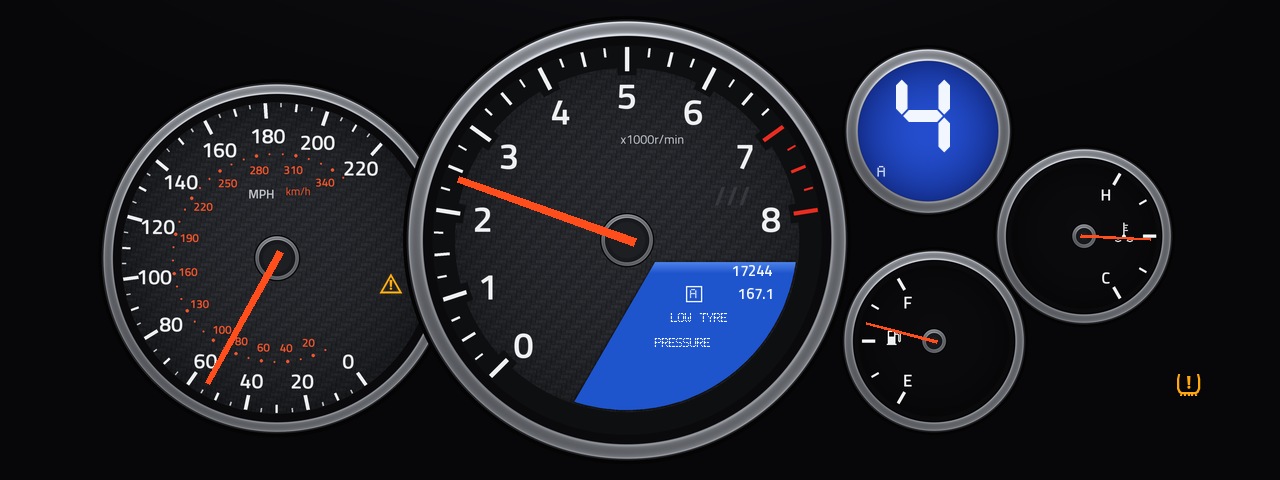
Low tyre pressure · Nissan GT-R 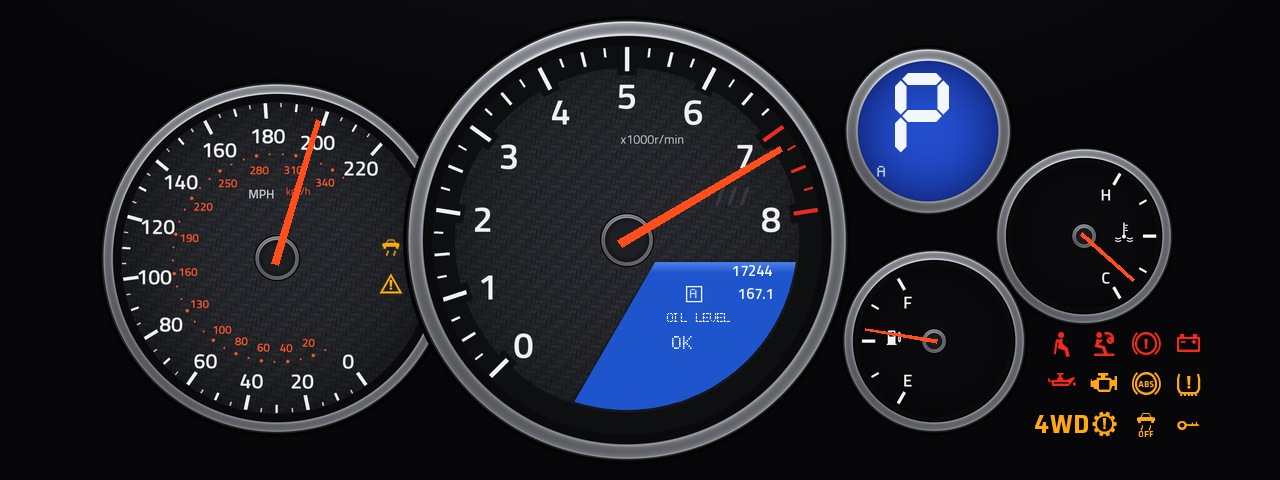
Needle sweep option · Nissan GT-R 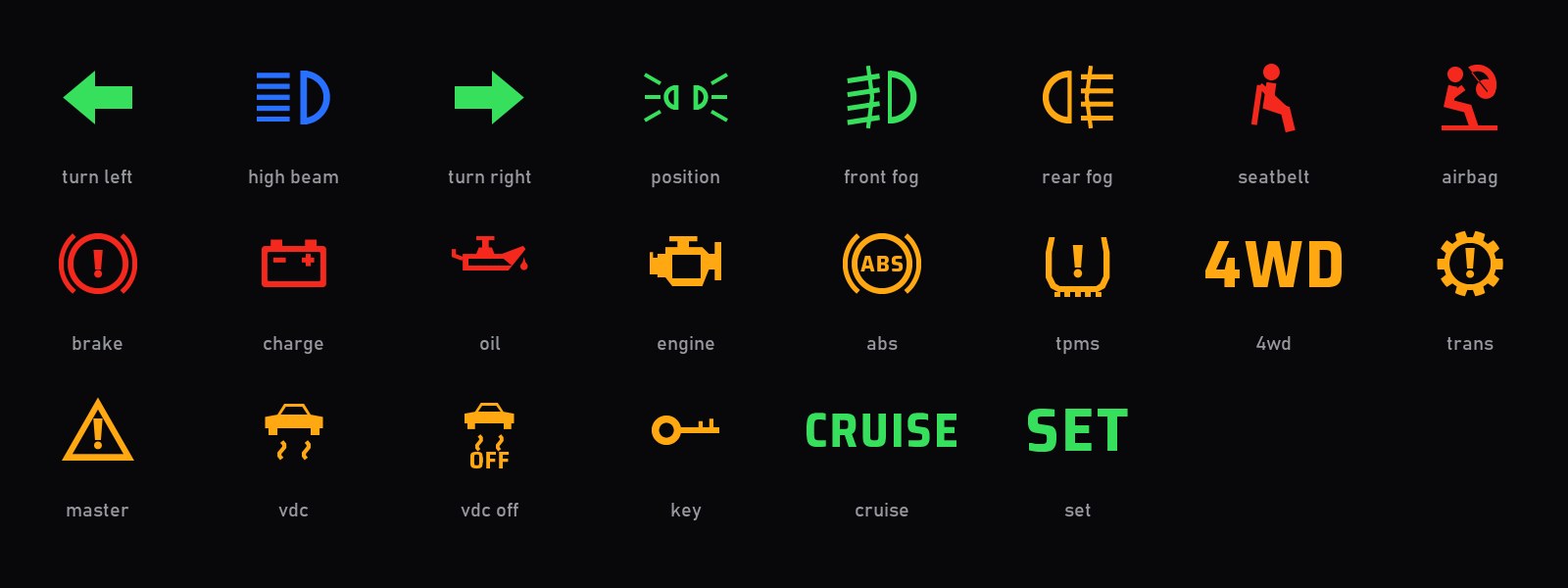
Lamps · Nissan GT-R 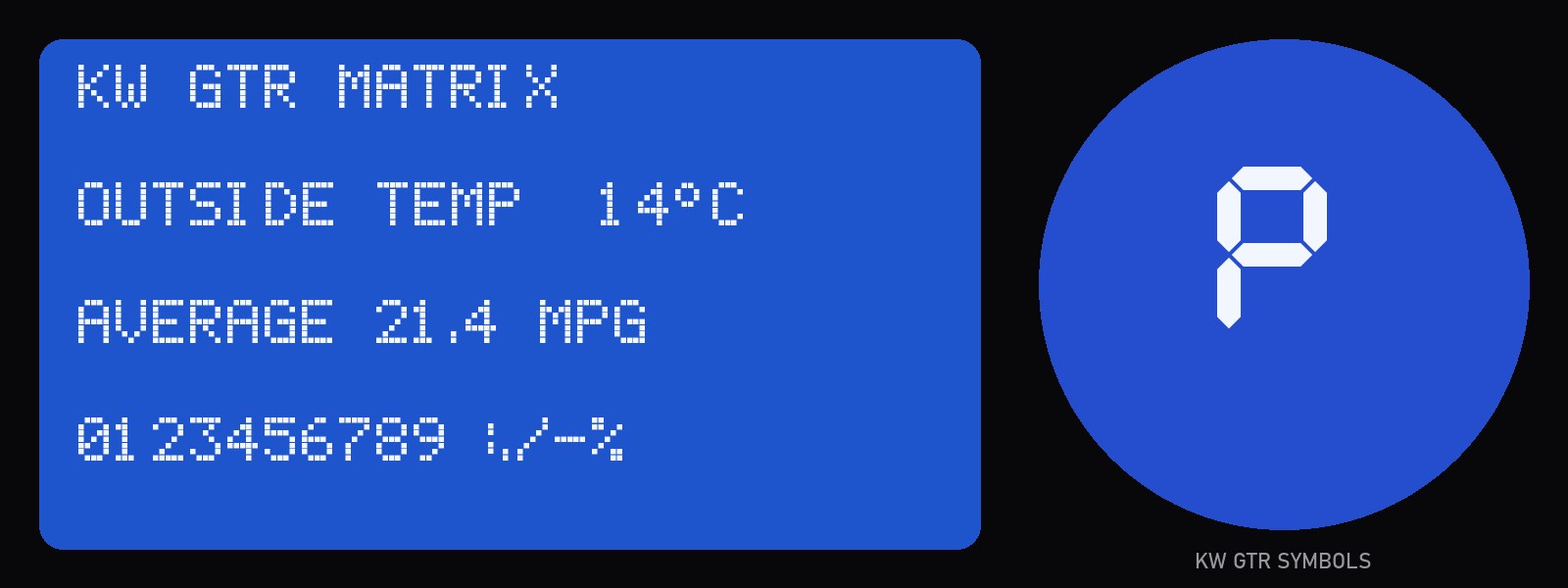
Fonts · Nissan GT-R
More projects
Other builds
Related guides: C125 vs C127 vs C1212 · Dash Manager vs Display Creator · DBC files and ECU channels.
Want your car's own cluster on a MoTeC?
Tell me what you've got and attach your Display Creator project if you have one.