Portfolio · Mitsubishi Evo IX · MoTeC C1212 · OEM-style example design
Mitsubishi Evo IX MoTeC C1212 OEM-style dash
The standard cluster, on a MoTeC. An example C1212 display that recreates the instruments of a 2005 UK Lancer Evolution IX FQ, as they look and as they behave.
Why keep the standard look? Fitting a MoTeC shouldn't mean relearning the car. The dials, lamps, ACD dots and trip knob stay where the owner knows them and work as they always did, so nothing familiar is lost. What's gained is MoTeC's: every channel can be logged, a hold of the trip knob brings up a page of six extra gauges, and more can be added later, such as a MoTeC alarm for oil pressure, which the standard car shows only as a switch lamp.
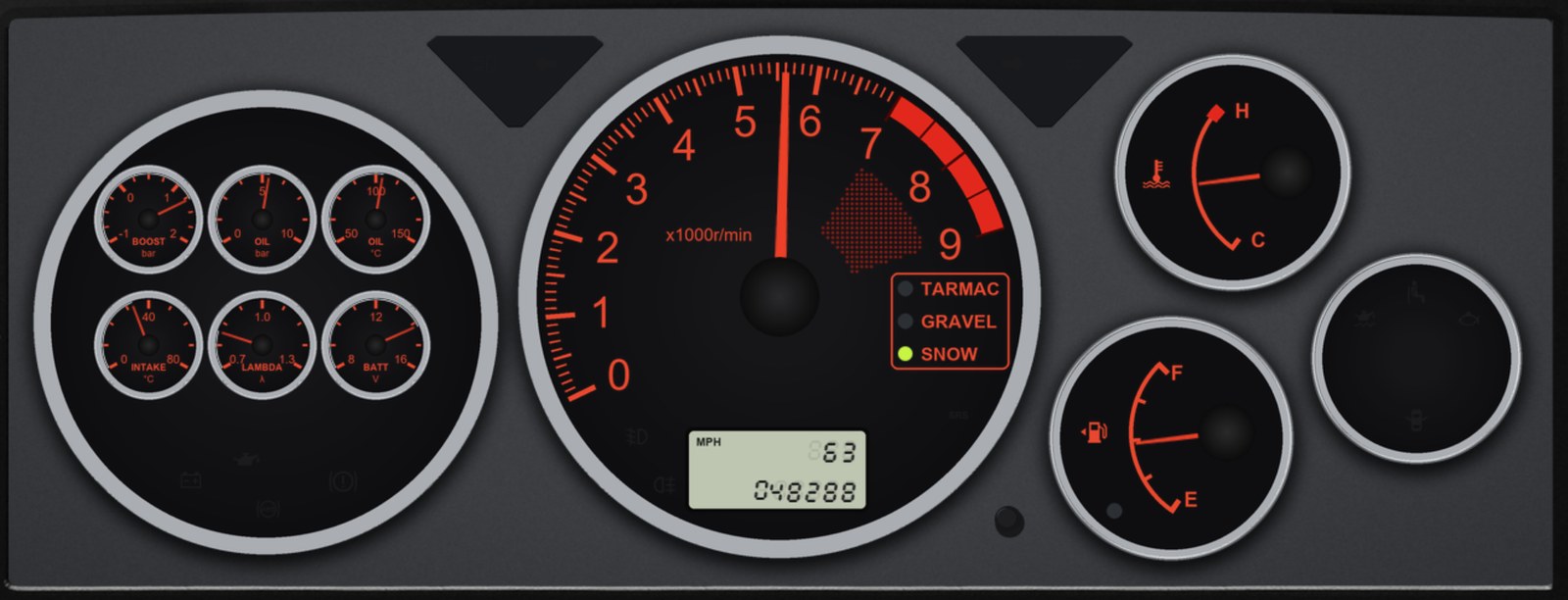
The demo runs from ignition on through the start, the ACD modes and the trip meter, into the red zone, low fuel and night, then the MoTeC extras and engine off. Jump to a part with the keys.
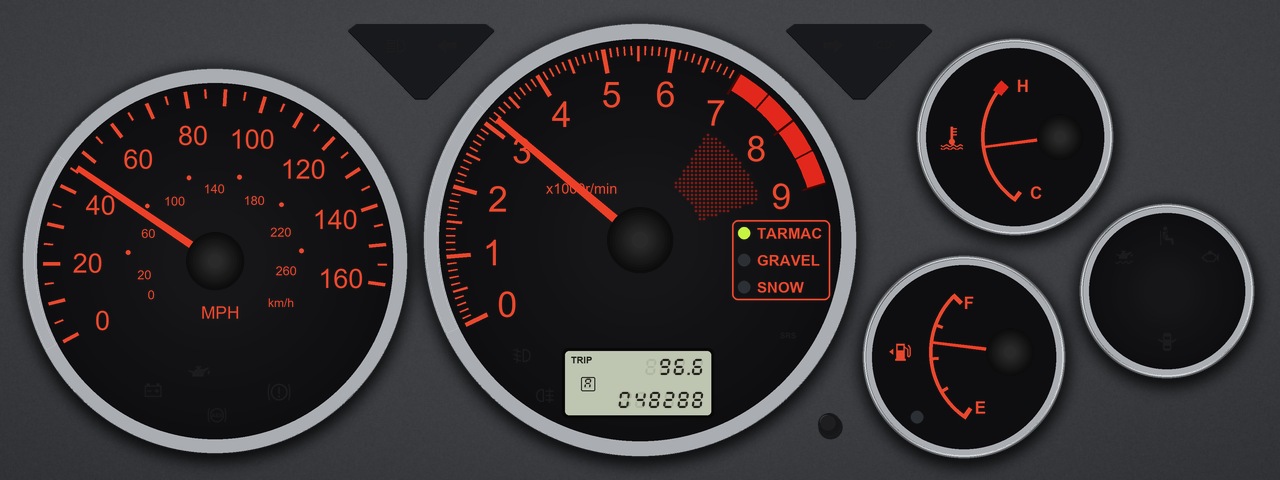
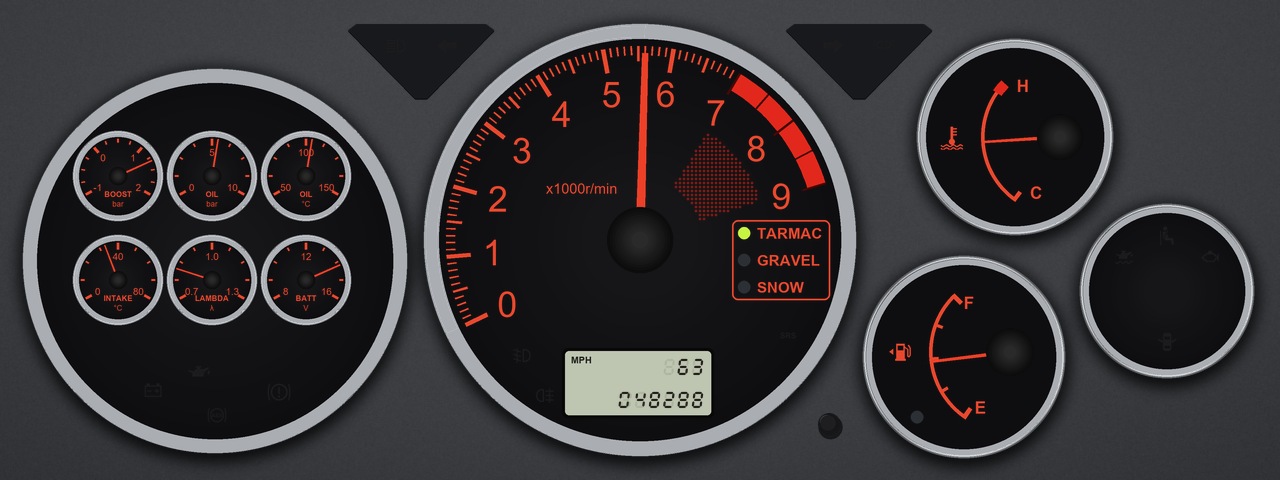
- The UK FQ meter
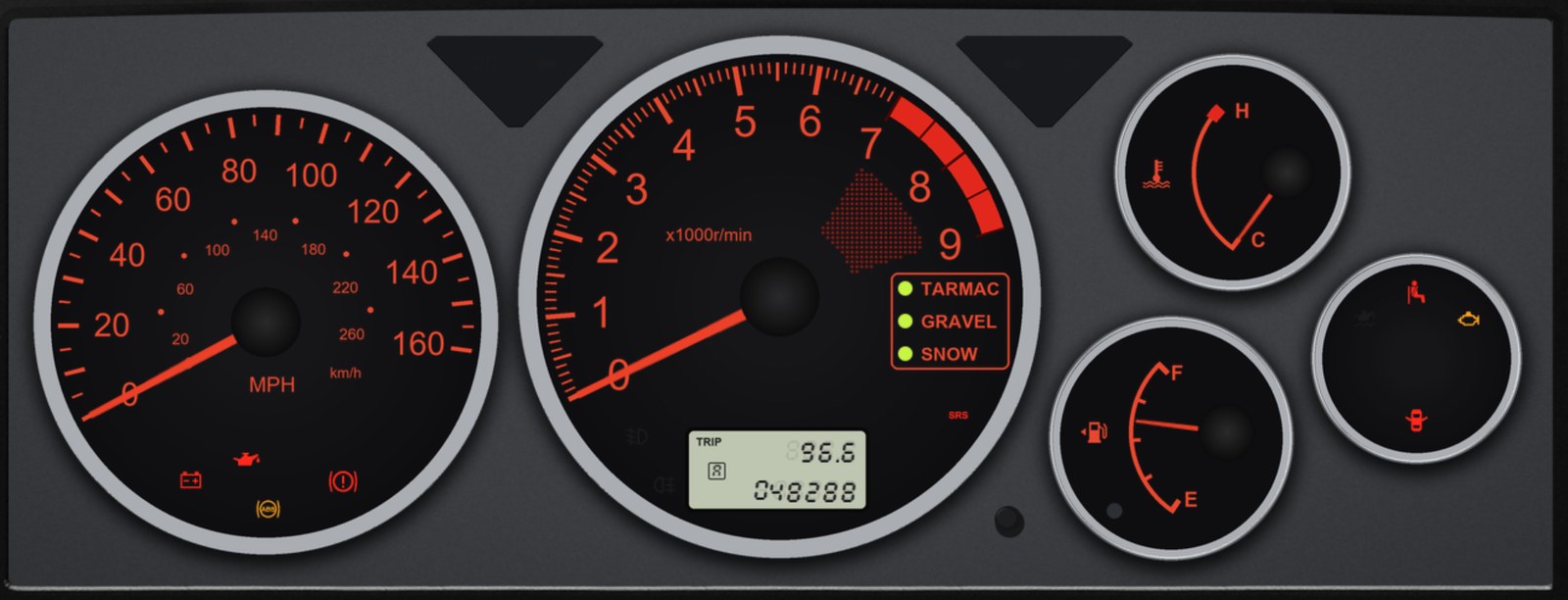
The Evo IX kept the Evo VIII MR meter, so this is the cluster of the 2005-on UK FQ-300, FQ-320 and FQ-340: 0-160 mph with an inner km/h scale, 9,000 r/min with the red zone from 7,000 and the dotted wedge, the ACD box, the two-line LCD with trip A and B and the odometer, the off-centre coolant and fuel gauges and the lamp disc. A km/h face for a Japanese or European car would be a new page background on the same build.
- The car's own lamp checks
There's no needle sweep at ignition on, because the standard Evo has none. A MoTeC PDM passes each unit's lamp line straight to the display, so the ABS 3-second check, the SRS 7-second check, the ACD unit's three-lamp check and fault display, and the body ECU's seat-belt, door and indicator behaviour all come through as they do on the car.
- What the meter worked out
Some lamps the standard meter worked out itself, so the C1212 works them out the same way: the (!) brake lamp from low fluid, the parking brake or the charge circuit; low fuel below a set level (12 % in this example, as the standard figure isn't published); and the engine lamp's 5-second check at ignition on, which the MoTeC M1 that replaces the engine ECU doesn't do.
- Odometer and trips
The odometer and two trip meters are the C1212's own, kept in permanent memory. A press of the trip knob switches TRIP A and B, a hold resets the trip shown, and the six-digit odometer keeps its leading zero. It starts from the car's reading, entered in Dash Manager, because the standard odometer can't be read electronically.
- ACD modes
The dash switch stays wired to the ACD unit, which keeps the mode. Its three lamp lines drive the three dots, so TARMAC, GRAVEL and SNOW show exactly what the unit has selected, and its fault display comes through too.
- Night
With the tail lamps on, NIGHT takes over: numerals and needles glow amber-orange, the LCD is amber-backlit, and the C1212 dims itself from the tail-lamp channel. The UK car has no panel dimmer, so none is copied.
- MoTeC extras
Hold the trip knob for 3 seconds or more and six small matching dials take the speedometer's place: boost, oil pressure, oil temperature, intake air, lambda and battery. Road speed moves into the LCD, and the tachometer, coolant, fuel and every lamp stay where they are. Hold it again to go back; a shorter hold still resets the trip.
- Drawn new
Every dial, needle, lamp symbol and font was drawn for this display: our own seven-segment LCD face and our own set of fifteen tell-tale symbols. The printed numerals use Arial, a Helvetica-style face like the standard print. Nothing was copied from Mitsubishi, and no logo or badge appears; the maker's marking on the lamp disc is left out.
- Where it can't be exact
The native needle is slim like the Evo's but tapers less and has a square tip. The C1212 is a lit screen, so the night look is drawn rather than lit by bulbs, and unlit lamps show as a faint ghost. Four lamps whose positions no source showed, main beam, ABS and the two fog lamps, are placed where they fit.
- Where the data comes from
37 channels from one example CAN DBC for a MoTeC installation on an Evo IX: a MoTeC M1 in place of the engine ECU, a MoTeC PDM reading the car's lamp lines, and the C1212's own odometer and trips. The display works out 7 more itself. Speed comes from the gearbox sensor the standard speedometer uses.
- Why a C1212
The standard meter is about 2.65 times as wide as it is tall, and the C1212's 1280 × 480 screen is 2.67 : 1, so the whole meter fits at about its real size, with the tachometer centred.
- Built natively
Built for the C1212 with the Display Creator MCP: Display Creator's own Circular Gauge needles, native glyph lamps, conditional circles for the ACD dots, native readouts and auto pages, 180 objects in all. The car has no display menu, so the pages change by themselves.
- Sensors and add-ons
See what extra sensors or add-ons are required to run this display.
What this display needs
An example design for owners of the UK Evo IX FQ, not a customer's car. It has been built natively on its own channels, Quick Checked and run in Display Creator's simulator, but it hasn't been loaded onto a C1212, connected to a car or driven. Mitsubishi and Lancer Evolution are trademarks of Mitsubishi Motors Corporation. Kerbworks has no affiliation with Mitsubishi Motors, and this display is not endorsed by them. The design recreates the look of the standard instruments for owners; every dial, needle, lamp symbol and font is drawn new, and no Mitsubishi artwork, logo or badge is used.
Proof
Checked in Display Creator
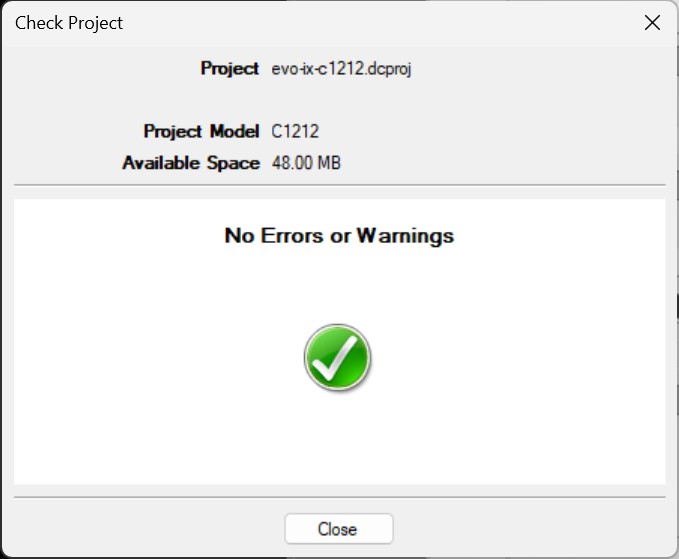
These three are screenshots from Display Creator itself, not renders.
With the example Evo DBC imported in Display Creator, all 37 channels came into the C1212 base and the design was built on them through the Display Creator MCP. Quick Check reports no errors or warnings for the C1212. In the simulator, with values typed in by hand, each state behaves as designed: the ignition lamp check, driving by day, 7,500 r/min in the red zone, SNOW with trip B and the right indicator, the NIGHT page, the low-fuel lamp about 5 seconds after the level drops, and the EXTRAS page. Not checked there: the engine lamp's 5-second check, the trip knob's press and holds, which are Dash Manager inputs on a real C1212, and the night dimming.
Gallery
Pages up close
Select any image to see it full size.
CLUSTER · Evo IX 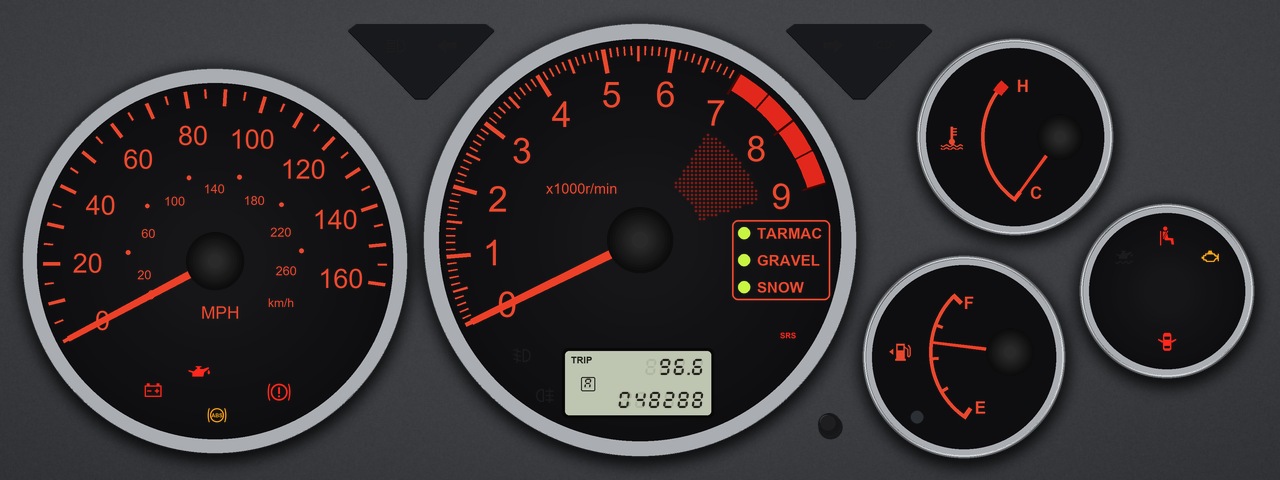
Ignition on · Evo IX 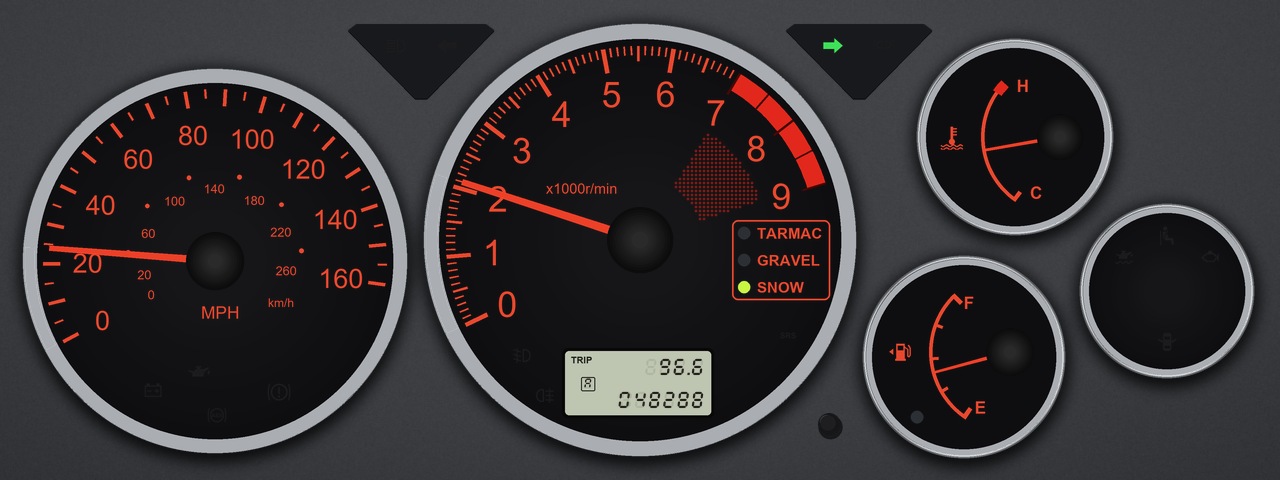
ACD SNOW · Evo IX 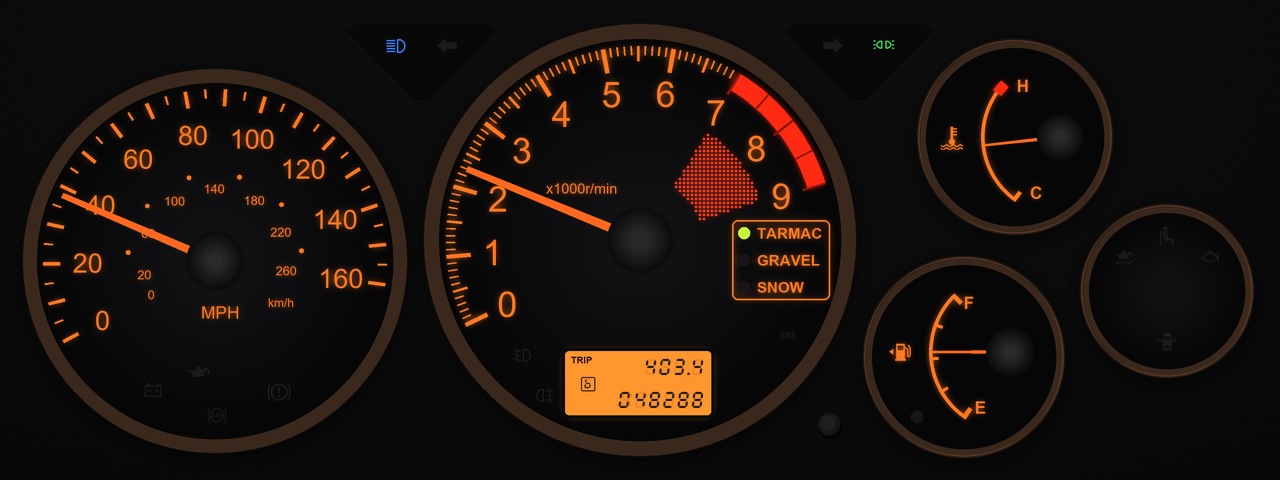
NIGHT · Evo IX EXTRAS · Evo IX 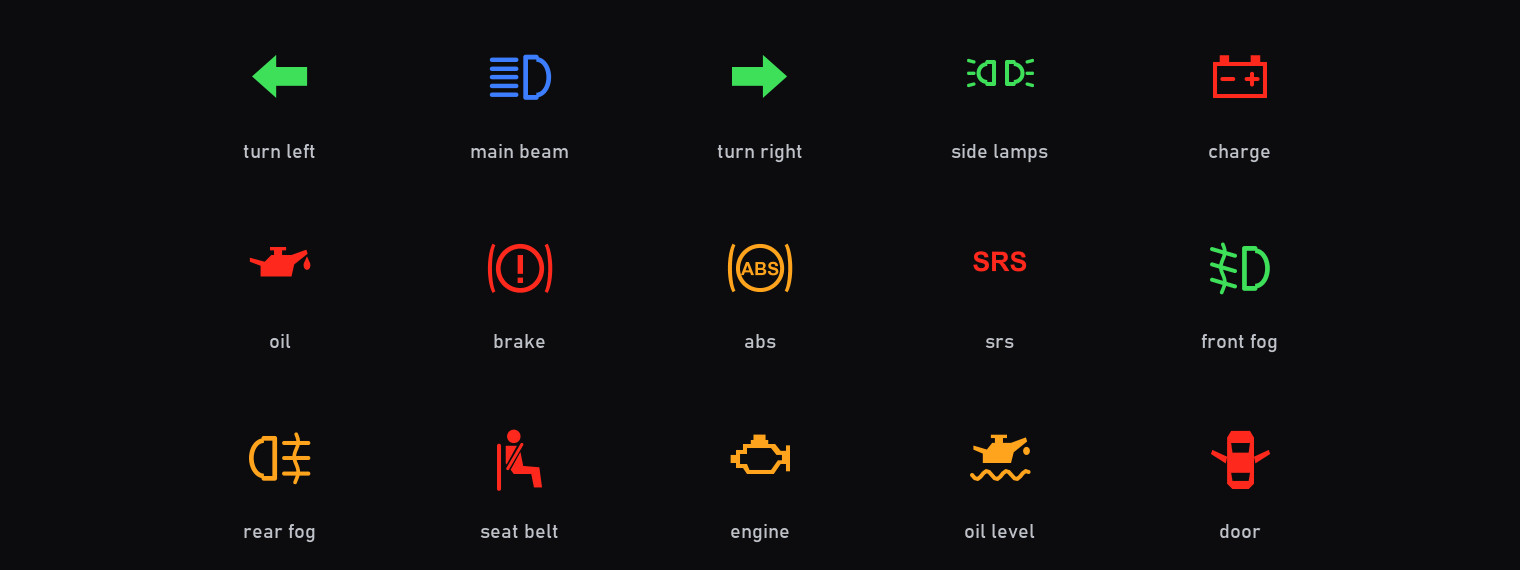
Lamp symbols · Evo IX
Want your car's own cluster on a MoTeC?
Tell me what you've got and attach your Display Creator project if you have one.