Portfolio · Jet ski · MoTeC C127 · example design
Jet ski MoTeC C127 display
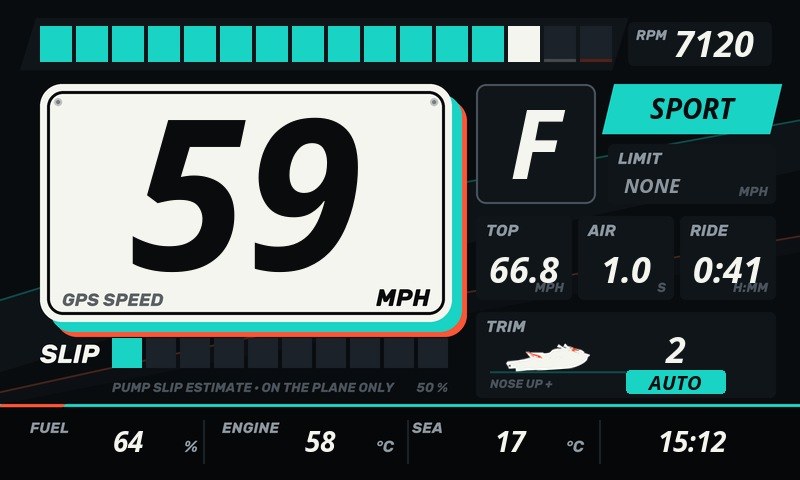
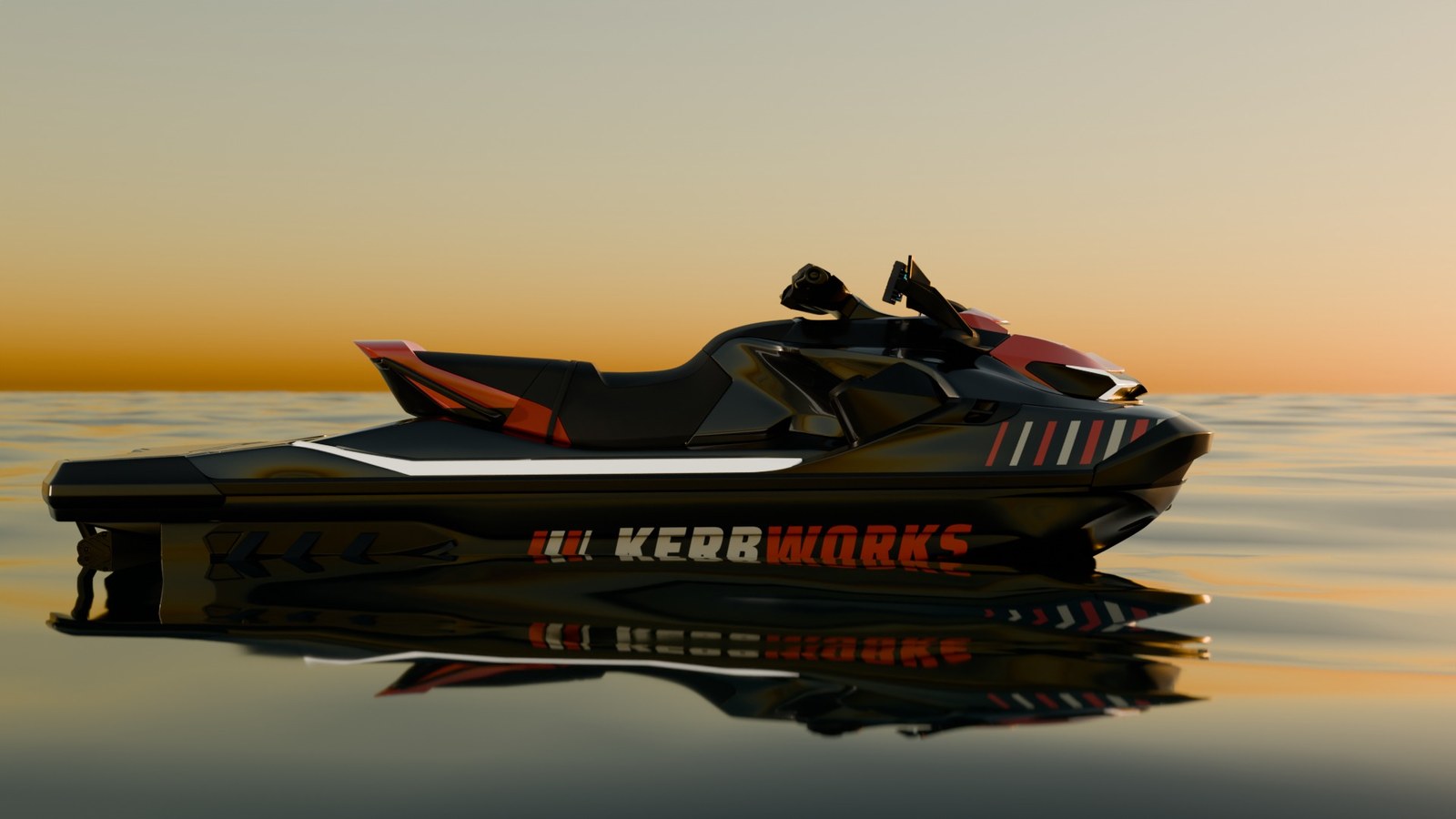
Speed on a race number board. An example display for a performance jet ski of the Yamaha WaveRunner GP or FX kind, dressed like a closed-course racing ski: black digits on a white number board, and flat cut-vinyl graphics in sea-foam turquoise, coral and white on matte black, made to be read in sun and spray.
Beyond a standard dash, it times launches and wave jumps, holds the best carve G and estimates pump slip. The demo starts at key-on with the welcome film, backs off the trailer and idles out in NO WAKE, opens up in SPORT, then runs a launch, a wave jump, a weed-blocked intake and the ENGINE page before heading back in. Jump to a part with the keys.
- A race number board
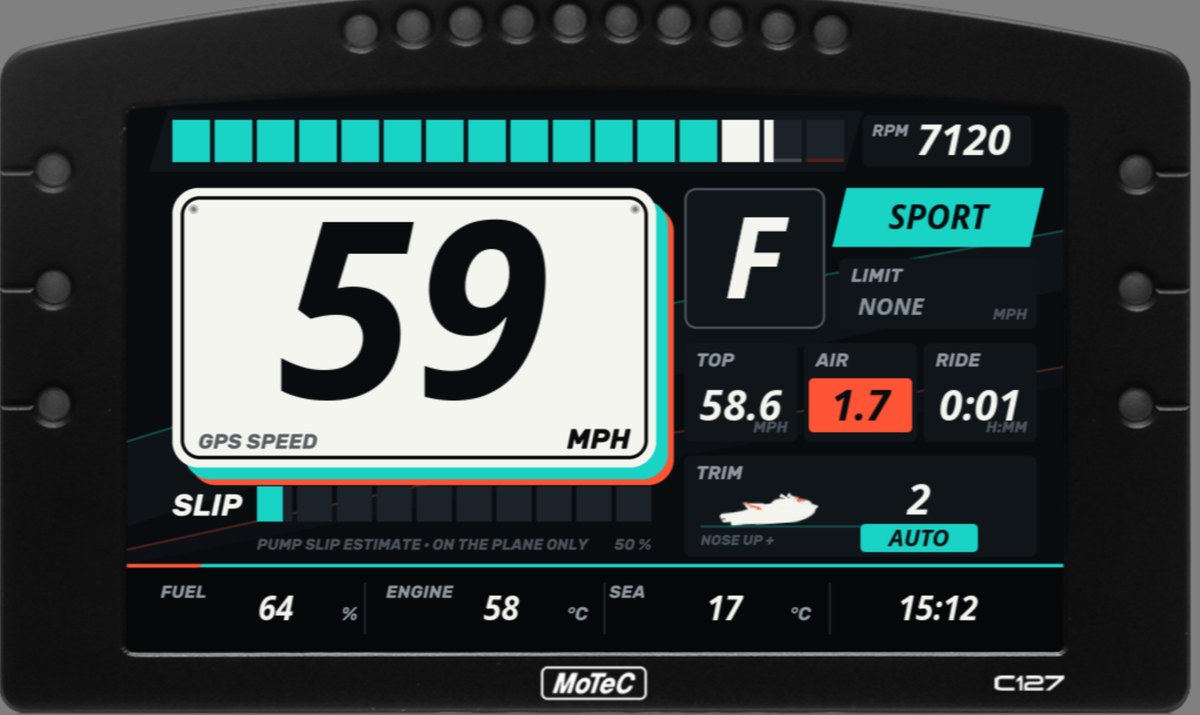
The speed sits in black on a white race-number plate, the way a racing ski carries its number, with flat cut-vinyl graphics in sea-foam turquoise, coral and white on matte black. No gradients, glass or glow: black on the brightest white the panel can make, and everything else bright on black. Of the three looks considered, it was the easiest to read in direct sun.
- RIDE, the home page
GPS speed in mph on the board, revs as a row of sticker blocks with the rpm, the gear (F, N or R, with R in coral) and the craft's ride mode: NORMAL, SPORT, L-MODE, NO WAKE or CRUISE ASSIST, with any speed limit in force. Top speed, last airtime and ride time sit underneath. In NO WAKE a calm page takes over, with slowly moving ripples.
- Trim you can see
A side view of the craft, rendered from the same 3D model as the welcome film, noses up and down with the trim position. It's a native rotating image, with the position beside it and AUTO when the craft's auto trim is on.
- Launch timing
Stop in F with the craft's launch control armed and LAUNCH takes over and says READY. The display's own timer starts as the craft moves off, 0–30 and 0–50 mph latch as they're passed, and the best 0–50 is kept. Six seconds after the run it goes back to the rider's page. A run slower than 8 s isn't counted, so idling out of a no-wake zone never becomes a best.
- Airtime and carve G
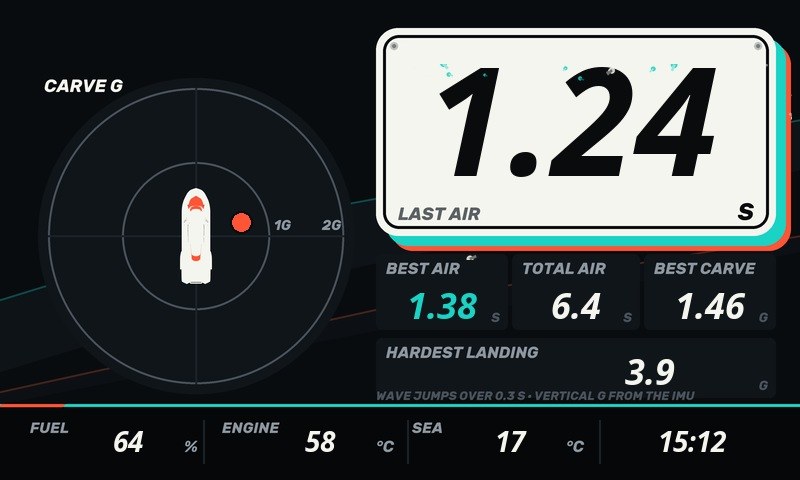
An IMU times each wave jump, from the moment the craft goes light to the landing. The AIR cell on RIDE lights coral with a splash for four seconds, and the AIR page holds the last, best and total airtime, a G meter with the craft at its centre, the best carve (lateral G) and the hardest landing. Hops under 0.3 s are ignored. It times wave jumps, not freestyle tricks.
- Pump slip, an estimate
A hooked-up jet pump moves the craft at an almost fixed speed for its revs. The display compares GPS speed with rpm and shows the difference as SLIP. Above 25 mph a sustained slip raises PUMP SLIP · CHECK INTAKE, because weed on the intake grate is the usual cause. It's an estimate against a calibration for the craft, and the screen says so.
- ENGINE and fuel
Engine, exhaust and intake air temperatures as sticker bars; oil pressure, overheat, check-engine and lanyard tiles; battery and engine hours. Fuel level, litres, the fuel rate, the time left at the current rate and the range at the current speed.
- A welcome film on the display
At key-on the display plays an 8-second film as a native Video Clip: the craft idling at dawn, the engine catching with a spit from the jet and the dash screen waking, then a full-throttle launch straight past a camera at water level, until the spray whites out the lens and the RIDE page builds out of the white. A handlebar button skips it.
- Eight alarms
Each with its own icon in the full-width alarm band, in priority order: engine overheat, oil pressure low, exhaust hot (check intake), check engine, lanyard off, fuel low, pump slip (check intake) and battery low.
- Where the data comes from
Thirty craft channels from one example CAN DBC: a gateway to the craft's own network, a GPS, an IMU, a hull water sensor and the handlebar switches. The DBC, its mode names and its encodings are Kerbworks' own example of what a CAN gateway on the craft could send. The display works out the rest itself: top speed, ride time, launch times, airtime, carve and landing G, pump slip, litres, time left and range.
- Why a C127
A 7-inch 800 × 480 screen is the size of the larger factory displays on this class of craft and fits a helm pod; a C1212's wide screen wouldn't. A jet ski is wet, so a real installation would check the display's sealing against spray and fit a hood against glare.
- Built natively
Built for the C127 with the Display Creator MCP and checked in Display Creator 6.5: native readouts, segmented bar gauges, colour bands, conditional panels, cue slots, a rotating image for the trim, a G meter, image sequences for the splash and the ripples, the welcome film as a Video Clip, 29 maths channels, timers, latches and holds, two auto pages, eight alarms and a pop-up page menu.
- Sensors and add-ons
See what extra sensors or add-ons are required to run this display.
What this display needs
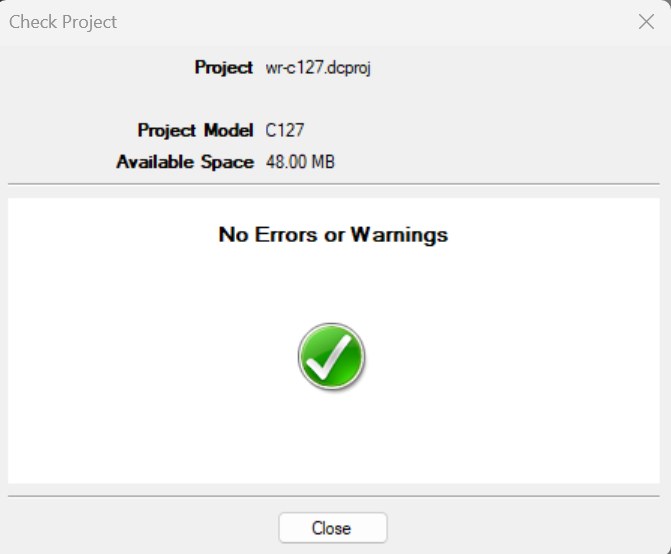
An example design for a performance jet ski, not a customer's craft. It's built natively for the C127 in Display Creator, Quick Checked with no errors or warnings and run in Display Creator's simulator, but it hasn't been loaded onto a C127, connected to real CAN data or used on the water. The engine overheat, oil pressure, exhaust hot, check engine and battery low alarms pass Quick Check but weren't triggered in the simulator. Airtime is timed from an IMU for wave jumps and pump slip is an estimate against a calibration; neither is a measurement of record.
Jet ski model: “Jetski” by appsnation (Sketchfab), CC BY 4.0, repainted in a Kerbworks livery with new decals and dash screen. It's a generic modern three-seater, not a model of a Yamaha, and the name and mark on it are Kerbworks' own. Kerbworks has no affiliation with Yamaha Motor Co., Ltd., and this display is not made or endorsed by Yamaha. Yamaha and WaveRunner are trademarks of Yamaha Motor Co., Ltd. There is no Yamaha logo anywhere on the screen.
Proof
Checked in Display Creator
These two are screenshots from Display Creator itself, not renders.
With the jet ski DBC imported in Display Creator and the project built on its channels, Quick Check reports no errors or warnings for the C127; the first build had errors, which were fixed and checked again. In the simulator, with values typed in by hand, the welcome film plays as the native Video Clip at key-on and the board says NO GPS at power-on. Also checked there: the RIDE page at speed, a timed wave jump lighting the AIR cell, the pop-up tab bar, the AIR and ENGINE pages, the LAUNCH page taking over at READY and showing a run's result, the NO WAKE page taking over, and the LANYARD OFF and PUMP SLIP · CHECK INTAKE alarms with their icons.
Gallery
Pages up close
Select any image to see it full size.
RIDE · Jet ski 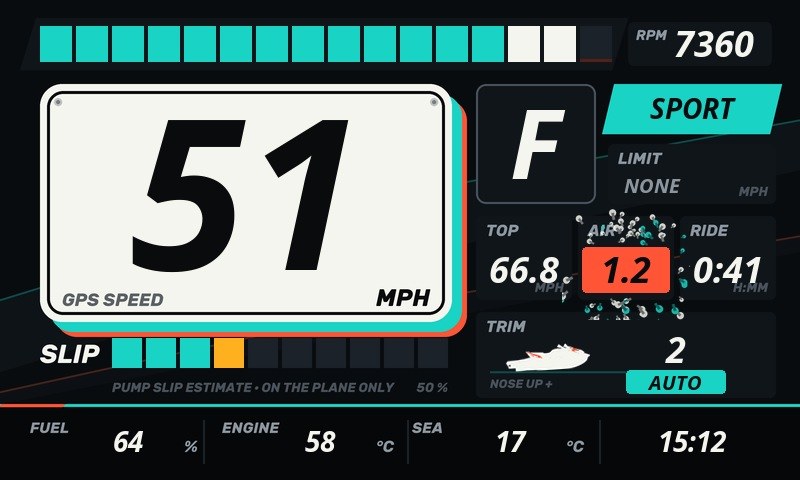
AIR CELL · Jet ski 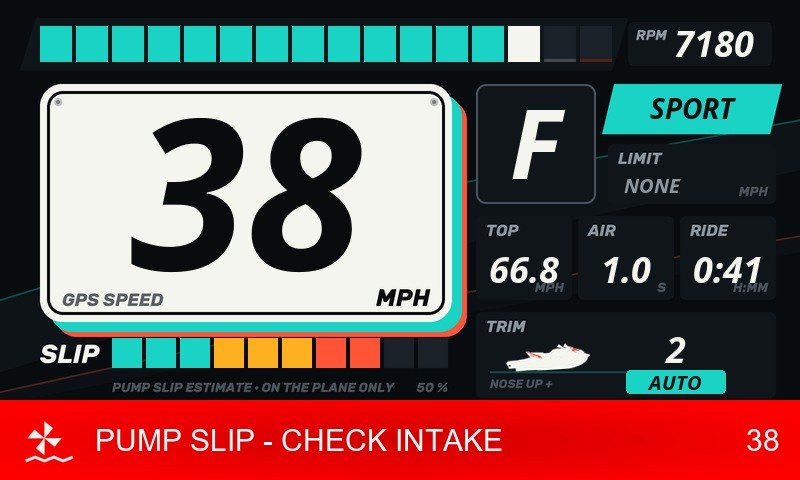
PUMP SLIP · Jet ski 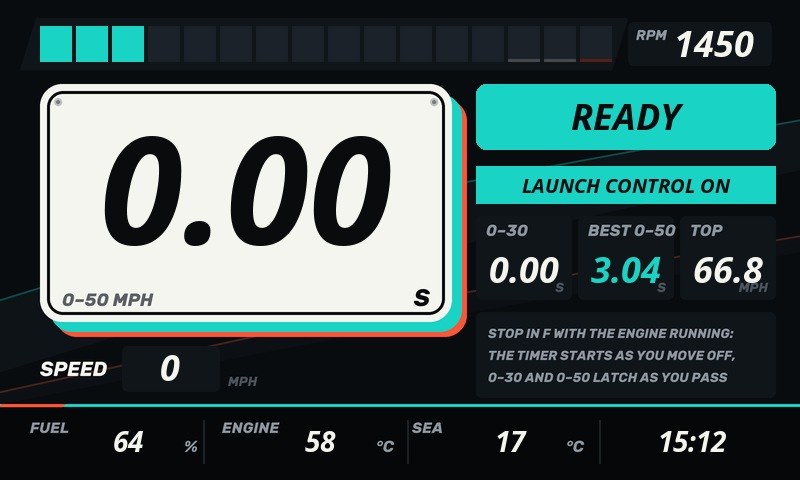
READY · Jet ski 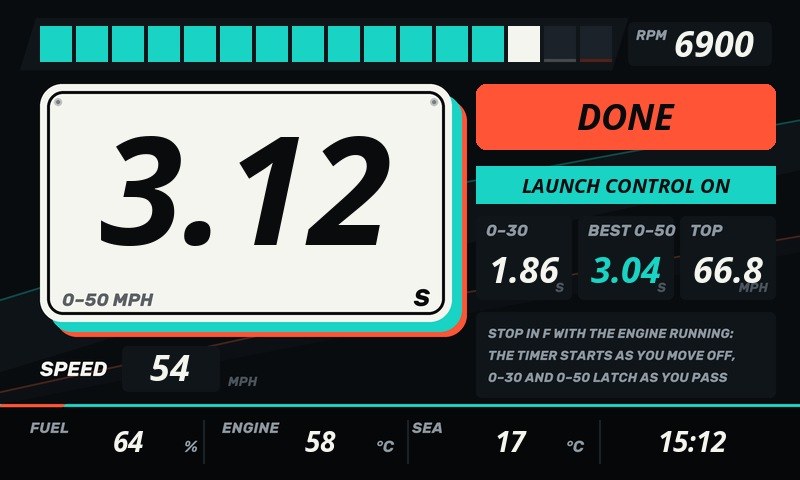
LAUNCH · Jet ski AIR · Jet ski 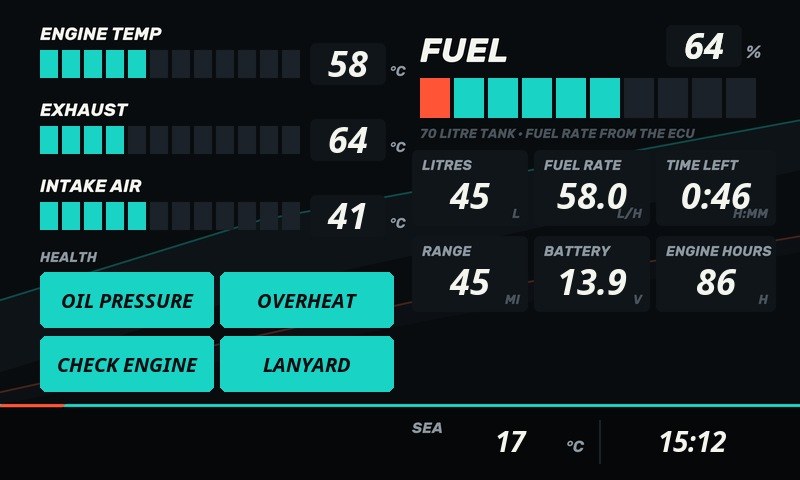
ENGINE · Jet ski 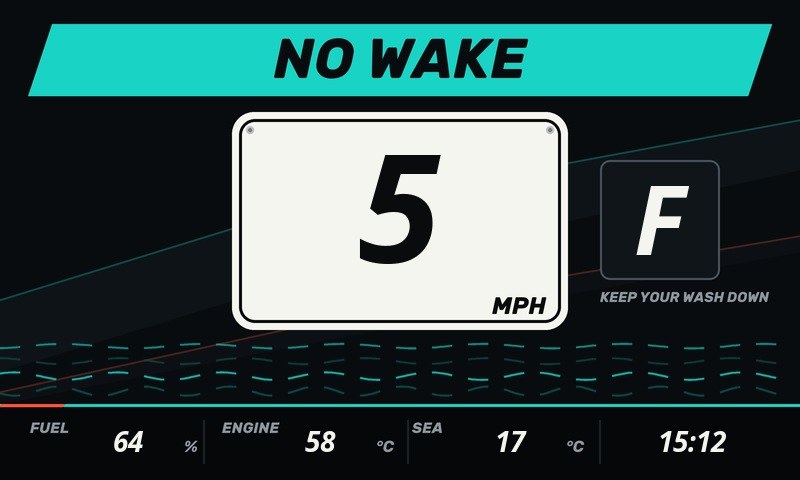
NO WAKE · Jet ski
Want one for your jet ski or car?
Tell me what you've got and attach your Display Creator project if you have one.