Portfolio · Aviation · MoTeC C127 · example design
Aviation MoTeC C127 light aircraft engine display
Off the ground. An example engine and information display for a generic kit aircraft: engine performance, a fuel computer, GPS information and the pilot's times, drawn like a painted instrument panel.
The demo goes from before start through the run-up, take-off and climb, the fuel and GPS pages, an ECU lane fault, then landing and the logbook. Jump to a part with the keys.
- An instrument panel, not a race dash
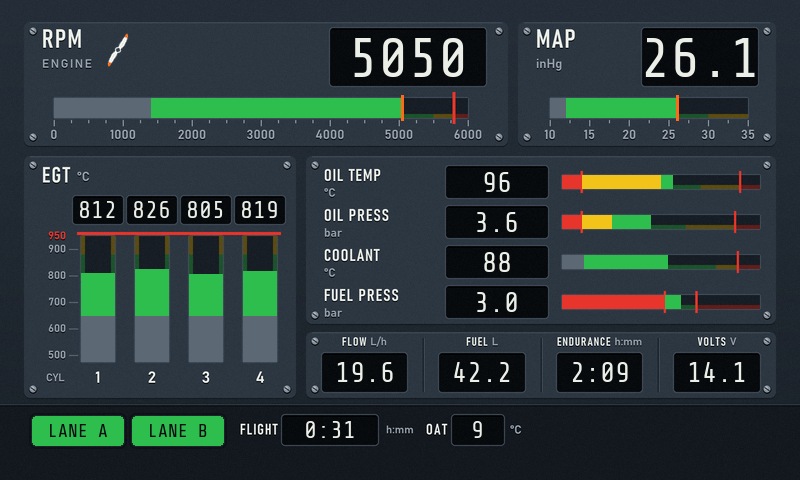
A matte slate-blue panel with screwed instrument plates, engraved chalk-white labels, black value windows and high-visibility orange for pointers. Green, yellow and red are kept for ranges, as on aircraft engine instruments, and every live number is in a fixed-width face so the digits don't jitter.
- Tapes with their ranges
Rpm and manifold pressure sit at the top as large digits over horizontal tapes. Each tape shows its ranges dimmed and fills the ranges it covers in their colours, with an orange pointer at the value. Digits turn amber or red outside the normal range.
- EGT like an engine analyser
Four EGT columns, one per cylinder, run from half the red line to the red line, as classic engine analysers draw them. Oil temperature and pressure, coolant and fuel pressure sit on the right.
- ECU lane lamps
The engine's ECU has two lanes. Each lamp is green when healthy, amber for a warning, red for a fault and grey when the lane is switched off at the panel. Faults and warnings also raise alarms.
- A run-up page that fills itself in
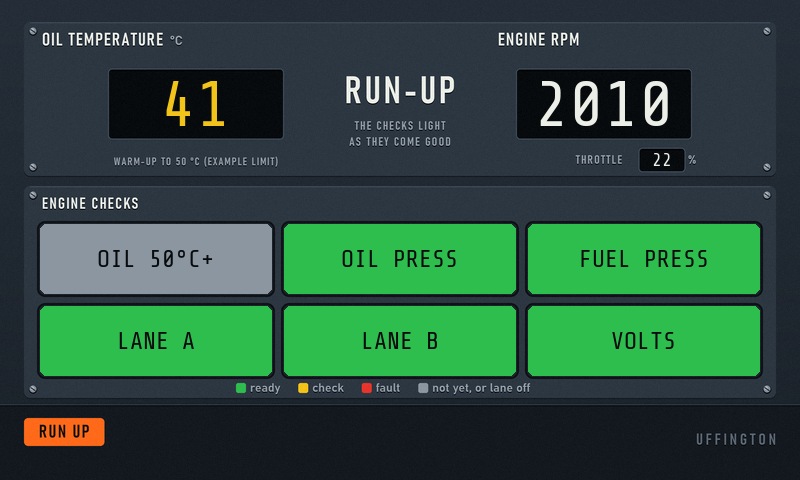
While the engine warms on the ground, RUN-UP comes up by itself with six tiles that go green as each value comes into range, so it reads like a checklist. Once the oil reaches 50 °C, the display goes back to the pilot's page.
- A fuel computer
Two tank columns, fuel on board, flow, endurance and range at the GPS groundspeed. With a GPS waypoint active, it shows the time to go and the fuel on arrival against a 30-minute reserve, green above it and red inside it.
- GPS information, placarded
Position, groundspeed, true track, GPS altitude, outside air temperature, an estimated density altitude, UTC and the date. The page is placarded GPS INFORMATION ONLY · NOT FOR NAVIGATION.
- REMOVE BEFORE FLIGHT
With the engine stopped, the red streamer flutters along the bottom of the ENGINE page. It whips faster as the engine cranks and is gone above 400 rpm.
- A logbook with an hour meter
When the engine stops after a flight, LOGBOOK comes up by itself: the engine hours the ECU keeps, in an hour-meter drum with a propeller that turns while the engine runs, and a line for this flight with the date, engine running time, airborne time and the fuel now on board.
- Fourteen alarms
In priority order, from low oil pressure and ECU lane faults to high temperatures, EGT, fuel pressure, over-revving, low fuel, arrival below the reserve, cold oil at high rpm, lane warnings and low volts. Eleven icons; the four lane alarms share one.
- Where the data comes from
The engine's ECU over CAN (rpm, manifold pressure, throttle, fuel flow, oil temperature and pressure, coolant, four EGTs, volts, lane status and engine hours), a sensor interface for tank levels, fuel pressure and outside air temperature, a GPS for position, groundspeed, track, altitude, UTC, the date and the distance to the waypoint, and the panel's button, knob and dimmer. The display converts manifold pressure to inHg and works out fuel on board, endurance, range, time to go, arrival fuel, the reserve, density altitude and the engine-running and airborne times itself.
- Why a C127
A 7-inch 800 × 480 screen is the size of the engine-monitor screens that sit beside an EFIS in a kit-aircraft panel.
- Sensors and add-ons
See what extra sensors or add-ons are required to run this display.
What this display needs
An example engine and information display for a generic experimental or kit aircraft, not a customer's. It isn't a flight instrument, a navigation instrument or certified avionics, and it isn't approved for any aircraft. The ranges and red lines are example settings; a real installation takes them from its own engine and airframe manuals. It hasn't been loaded onto a C127, connected to real CAN data or flown. The name and mark on its screens are Kerbworks' own, with no link to any aircraft, engine, EFIS or GPS maker.
Proof
Checked in Display Creator
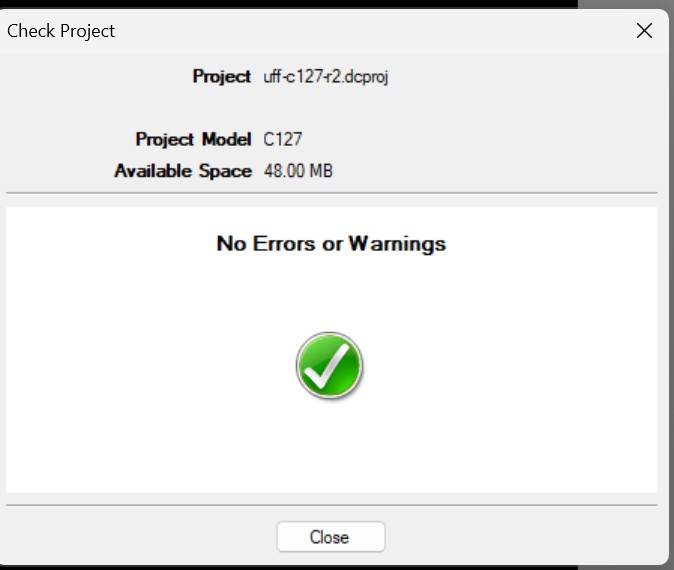
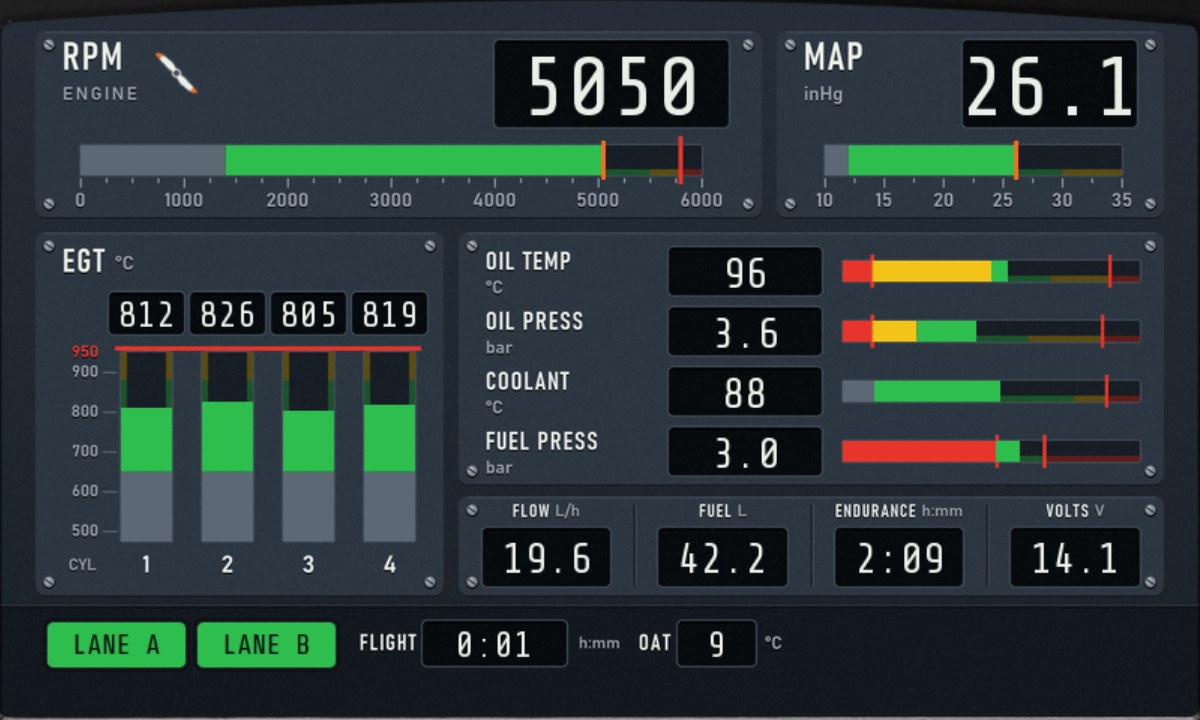
These two are screenshots from Display Creator itself, not renders.
With the aircraft DBC imported and the project built on its channels, Quick Check reports no errors or warnings for the C127. In the simulator, with values typed in by hand, these behave as designed: before start with the streamer, the cruise on the ENGINE page, the RUN-UP page taking over while the oil warms, and the ECU lane B fault alarm. The simulator also caught one fault the renders hid, which was fixed and checked again.
Gallery
Pages up close
Select any image to see it full size.
ENGINE · Aviation RUN-UP · Aviation 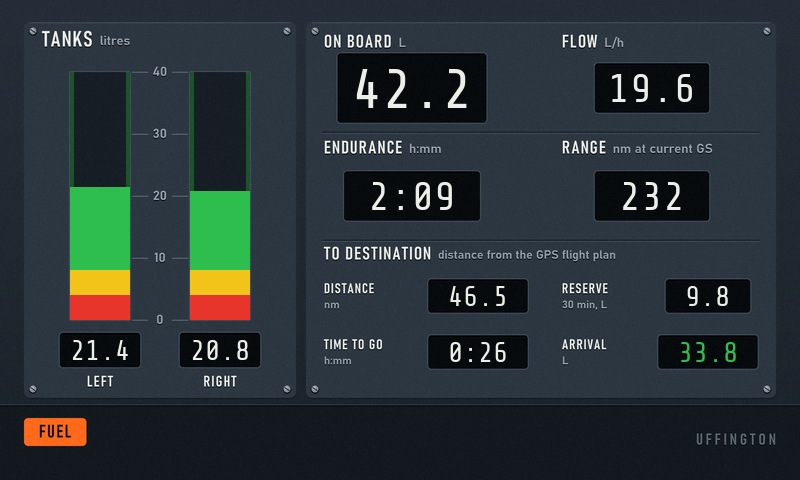
FUEL · Aviation 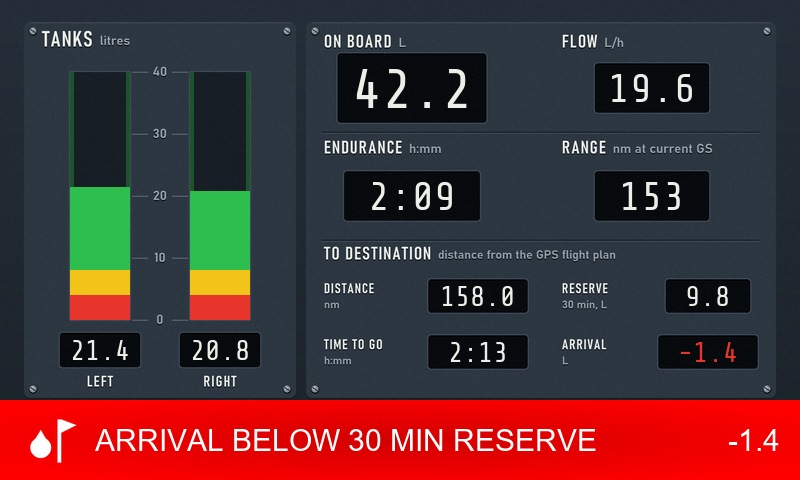
RESERVE · Aviation 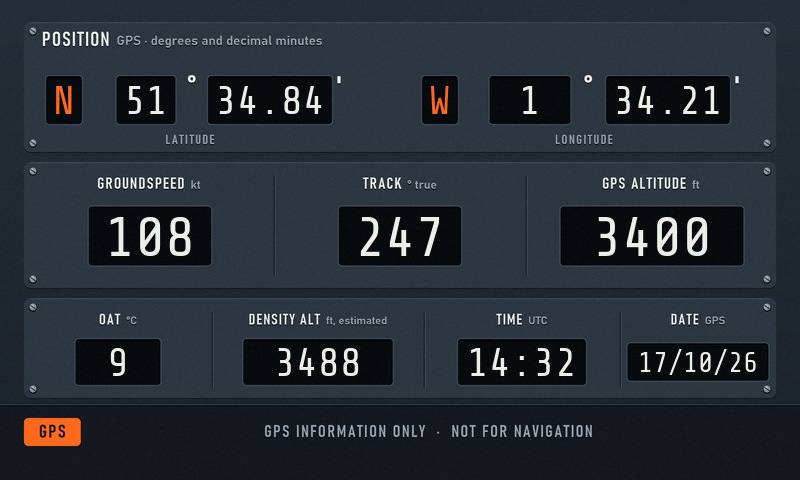
GPS · Aviation 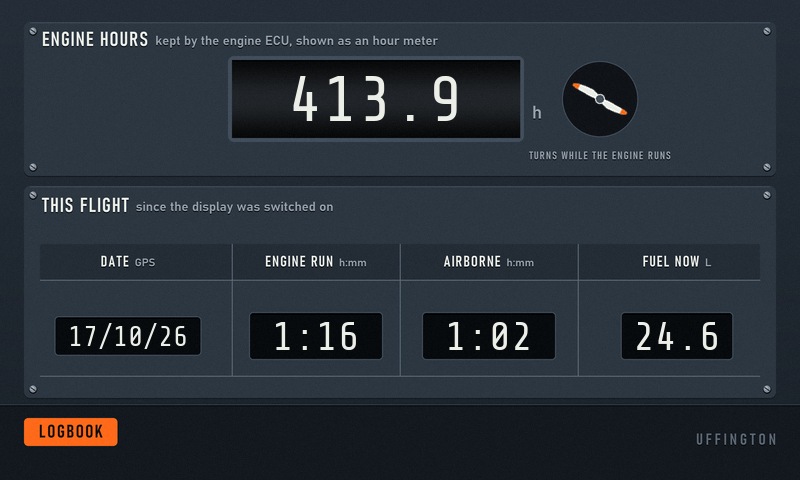
LOGBOOK · Aviation
Want one for your aircraft or car?
Tell me what you've got and attach your Display Creator project if you have one.